
AI costs scale faster than most teams expect.
The pattern is consistent: a team ships a new feature powered by GPT-4o, usage grows, and within 60 days the monthly API bill is 3-5x what the initial estimate suggested. The feature works. Users like it. Nobody thought hard about token efficiency at launch because it did not seem to matter yet. Now it does.
Most AI cost problems are token problems. The model itself is not usually the issue. The issue is how many tokens are being sent and received -- and specifically, how many of those tokens are unnecessary. Redundant context, verbose prompts, uncapped output length, repeated identical requests with no caching, and choosing a large expensive model for tasks a smaller model handles equally well: these are the recurring cost drivers across every AI application that has spent more than intended.
The cheapest token is the one you never send. This guide covers seven specific ways to send fewer of them.
What is OpenAI API cost optimization?
OpenAI API cost optimization is the practice of reducing per-request token spend through model selection, prompt engineering, response caching, context management, and workload routing -- without degrading the quality of AI outputs.
Key Takeaways
- ✓Most AI cost problems are token problems -- reducing unnecessary tokens is more effective than negotiating pricing or changing providers
- ✓Model selection often creates larger savings than prompt optimization -- moving a task from GPT-4o to GPT-4o mini can cut per-query costs by 90%
- ✓Caching is often the highest ROI optimization -- repeated identical or similar queries answered from cache cost near zero
- ✓Every unnecessary token is a recurring expense -- unlike a one-time infrastructure cost, token waste compounds with every request
- ✓Context quality matters more than context quantity -- RAG systems that stuff the context window with loosely relevant chunks pay more and often get worse results
- ✓Smaller models solve more problems than most teams realize -- classification, extraction, summarization, and simple Q&A rarely need GPT-4o
- ✓Cost optimization should happen before scaling -- a 3x cheaper architecture that works at 100 users still works at 100,000
- ✓RAG quality is more important than RAG size -- reducing retrieved chunks from 10 to 4 relevant chunks often improves output quality and cuts costs substantially
Quick Answer
The most effective OpenAI API cost reductions come from model selection, caching, and prompt optimization -- in roughly that order of impact. Most teams have significant savings available from each of these before touching more complex architectural changes.
On This Page
- OpenAI cost reduction quick answer
- Cost optimization decision framework
- OpenAI cost optimization workflow
- Which optimization should you do first?
- Cost optimization by company size
- Why OpenAI API costs increase
- How OpenAI pricing actually works
- Method 1: Optimize prompts
- Method 2: Use the right model
- Method 3: Limit output length
- Method 4: Implement response caching
- Method 5: Optimize RAG context
- Method 6: Batch processing
- Method 7: Replace AI where AI is not needed
- Real example 1: AI SaaS startup
- Real example 2: customer support chatbot
- Real example 3: RAG application
- Which optimization creates the biggest savings?
- Common cost optimization mistakes
- OpenAI cost reduction checklist
- OpenAI cost calculator example
- OpenAI vs Claude vs Gemini cost optimization
- One-minute AI cost audit
- OpenAI cost optimization principles
- Quick answers
- Frequently asked questions
- Tools used in this guide
- Related guides
OpenAI cost reduction quick answer
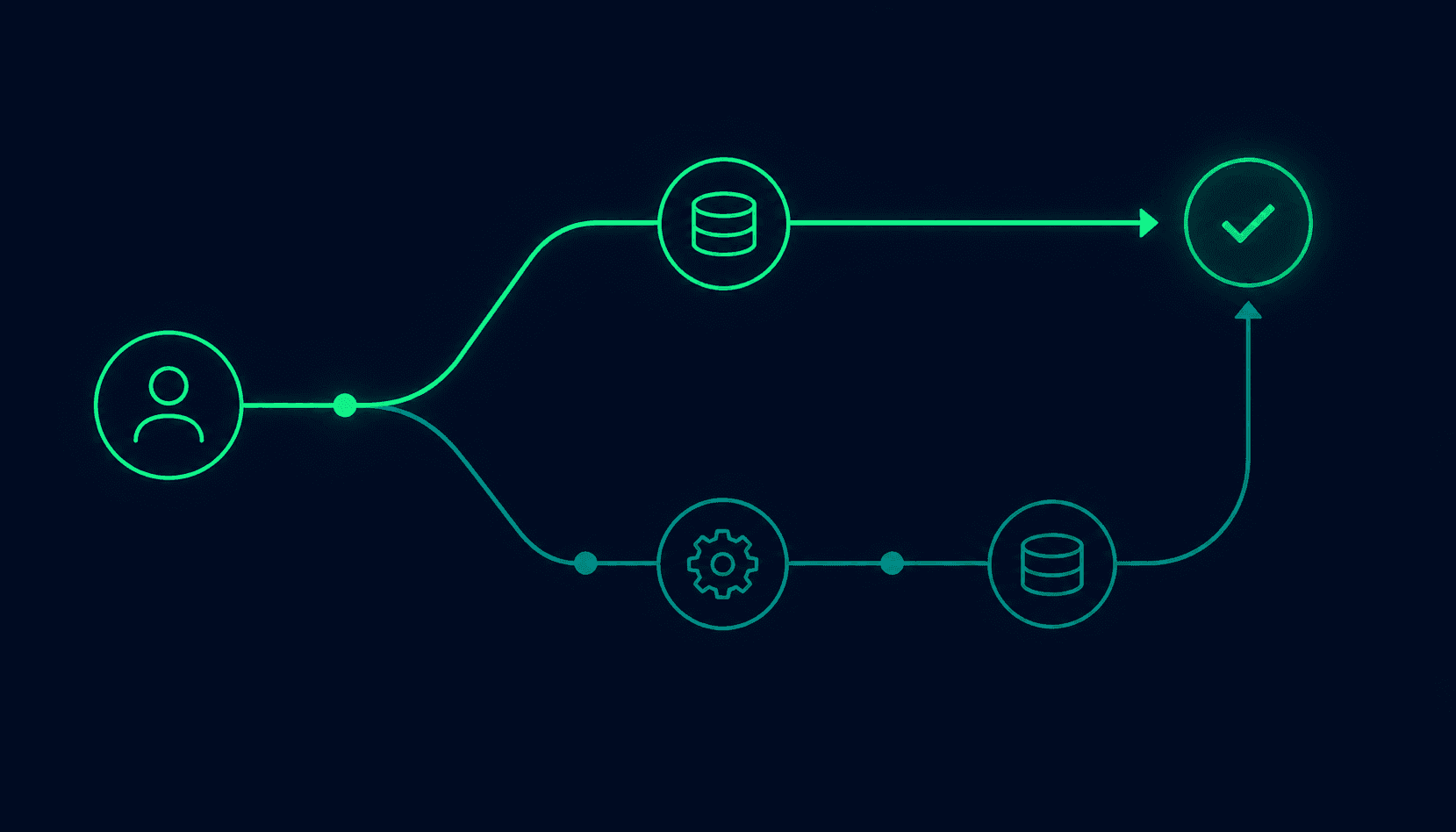
Direct answer: The most effective OpenAI API cost reductions come from model selection, caching, and prompt optimization -- in roughly that order of impact. Most teams have significant savings available from each of these before touching more complex architectural changes.
| Method | Typical Savings Range | Effort Required | Best For |
|---|---|---|---|
| Model selection | 20-90% | Low | Tasks that work equally well on smaller models |
| Response caching | 20-90% | Medium | Repeated or similar queries |
| Prompt optimization | 10-40% | Low-Medium | Applications with verbose system prompts or context |
| Output length limits | 10-50% | Low | Applications with uncapped max_tokens |
| RAG context optimization | 10-60% | Medium | RAG applications with high retrieved-chunk counts |
| AI replacement with logic | 20-80% | Medium | Tasks currently using AI that could use code |
| Batch processing | 10-40% | Medium | Async, non-real-time workloads |
Cost optimization decision framework
Direct answer: Match the optimization method to the specific cost driver. Different problems have different solutions, and applying the wrong fix adds complexity without reducing cost.
| Problem | Symptoms | Best Fix |
|---|---|---|
| Large system prompts | System prompt uses 500-2,000+ tokens per request | Trim, templatize, or store externally |
| Uncapped output | Max_tokens not set; responses vary wildly in length | Set hard max_tokens appropriate to use case |
| Repeated identical queries | Same inputs producing same outputs repeatedly | Semantic cache or exact-match cache |
| Expensive model for simple tasks | GPT-4o used for classification, extraction, or FAQ | Downgrade to GPT-4o mini or GPT-4.1 nano |
| High RAG context costs | 10+ retrieved chunks per query | Reduce chunk count; improve retrieval precision |
| Non-real-time AI usage | Summaries, classifications run at query time | Move to batch API (50% discount) |
| AI for deterministic tasks | Simple routing, validation, formatting done by AI | Replace with code or regex |
OpenAI cost optimization workflow
Direct answer: Work through this sequence in order. Each step informs the next. Skipping to caching before auditing spend often means caching the wrong queries.
Measure Current Spend
Pull token usage from OpenAI dashboard by model and endpoint
Identify High-Cost Endpoints
Add per-feature cost tracking middleware; find where money goes
Optimize Prompts
Trim verbose system prompts; remove redundant instructions
Reduce Output Tokens
Set explicit max_tokens on all endpoints; prompt for concise responses
Switch Models
A/B test smaller models on low-complexity endpoints; validate quality first
Implement Caching
Exact-match cache first; add semantic caching if hit rate is low
Optimize RAG
Reduce chunk count; improve retrieval precision; compress before injection
Monitor Monthly
Track cost per feature and per active user; re-audit every quarter
Which optimization should you do first?
Direct answer: The right starting point depends on your current monthly spend. Higher spend means caching ROI compounds faster; lower spend means prompt and model tweaks are enough to move the number meaningfully.
| Monthly Spend | First Optimization |
|---|---|
| Under $100 | Prompt optimization -- trim system prompts, set output limits. Low effort, immediate impact at small scale. |
| $100 -- $1,000 | Model selection -- identify which endpoints can move to GPT-4o mini or GPT-4.1 nano. Often cuts bill by 60-80%. |
| $1,000 -- $10,000 | Caching -- a 30% hit rate at $5,000/month saves $1,500/month. ROI is significant at this scale. |
| $10,000+ | Full cost audit -- attribute spend by feature, then apply model selection, caching, and RAG optimization simultaneously with dedicated engineering time. |
Regardless of spend level, always audit first. An optimization that saves 30% on a $100/month feature saves $30. An optimization that saves 10% on a $5,000/month feature saves $500. Prioritize by absolute dollar impact, not percentage.
OpenAI cost optimization by company size
Direct answer: The most valuable optimization method varies by team size and product maturity. Solo builders have different leverage points than enterprises.
| Business Type | Best Optimization | Why |
|---|---|---|
| Solo builder | Smaller models | Swapping models requires one line of code. No infrastructure change. A/B test in an afternoon. |
| Startup (1-20 people) | Caching | Even simple exact-match caching saves 20-40% for FAQ and support use cases with minimal engineering. |
| SaaS company (20-200) | RAG optimization | At this scale, RAG context is typically the largest cost line. Reducing chunks and improving retrieval pays for itself quickly. |
| Enterprise (200+) | Full cost governance | Per-feature attribution, spending policies, model tiers per use case, and dedicated optimization sprints driven by monthly cost reviews. |
Why OpenAI API costs increase
Direct answer: API costs grow because token usage compounds across four dimensions simultaneously: more users, longer conversations, richer context, and feature expansion. Each dimension independently increases spend; all four together can push a bill from $500 to $5,000 in 60 days.
User growth
More users means more API calls. This is expected growth. But if the per-user token usage is inefficient, the cost scales faster than the value delivered.
Conversation history growth
Chat applications that include full conversation history in every request compound token usage. A conversation that reaches 20 turns may include 10,000+ tokens of history in every new request -- meaning the model re-reads the entire conversation for each new message.
Context window creep
Teams add more context to improve output quality. More system prompt detail, more retrieved RAG chunks, more examples. Each addition is individually defensible. Collectively, they can double or triple the input token count.
Feature expansion
What starts as a simple Q&A feature becomes a feature with multiple tool calls, structured outputs, and multi-step reasoning chains. Each step adds tokens. Multi-step chains can cost 5-10x a single-step equivalent.
The compounding effect
A feature starting at 1,000 input tokens + 500 output tokens = 1,500 tokens per request. After six months of feature development: 2,500 input tokens (system prompt grew), 1,500 tokens of conversation history, 1,000 tokens of RAG context, and 800 output tokens = 5,800 tokens per request. The same feature, four months later, costs 3.9x more per call before any user growth.
How OpenAI pricing actually works
Direct answer: OpenAI charges separately for input tokens (your prompt, context, conversation history) and output tokens (the model's response). Input and output are priced differently -- output tokens cost more on most models. The full pricing breakdown with current rates is in the OpenAI API Pricing 2026 guide.
Output tokens cost more than input tokens
A model priced at $2.50/MTok input and $10.00/MTok output means each output token costs 4x each input token. Reducing output length has disproportionate impact on cost per request.
Context window size drives input cost
Stuffing a 16,000-token context window is 16x more expensive for input than using 1,000 tokens. Every token in every request -- system prompt, conversation history, RAG chunks, the user message -- adds to the per-request cost.
The Batch API offers 50% discount
Any workload that does not require real-time response benefits from batching. The discount applies to both input and output tokens on most models.
Prompt caching reduces prefix costs
Prompt caching (supported on GPT-4.1 and some other models) caches frequently repeated prefixes at a significant discount. System prompts that are identical across requests benefit substantially.
See the LLM Cost Comparison Guide for side-by-side pricing across OpenAI, Claude, and Gemini.
Method 1: Optimize prompts
Direct answer: Prompt optimization reduces input token count by removing redundancy, restructuring instructions for clarity, and eliminating context that does not improve output quality. Well-optimized prompts cost 20-40% less while often producing better outputs.
Every token in the system prompt is paid for on every single request. A 1,000-token system prompt sent to 100,000 requests costs 100 million tokens in system prompt alone. Reducing it to 600 tokens saves 40 million tokens.
Bad prompt (too verbose -- ~140 tokens):
You are a very helpful and knowledgeable customer service assistant for TechCorp,
a leading software company. Your role is to assist our valued customers with any
questions they may have about our products and services. You should always be
professional, courteous, and helpful. Please make sure to provide accurate
information and if you don't know the answer to something, please say so rather
than guessing. Try to keep your responses concise but complete. Always sign off
with "Best regards, TechCorp Support".

When handling customer inquiries, please follow these guidelines:
1. Be empathetic and understanding
2. Provide clear and accurate information
3. Escalate complex issues to human agents when necessary
4. Never make promises we cannot keep
5. Always maintain a professional tone
Better prompt (same result -- ~30 tokens):
TechCorp customer support. Be accurate, concise, professional.
If unknown, say so. Escalate complex billing/account issues.
End with: "Best regards, TechCorp Support"
Savings: 110 tokens per request (79% reduction on system prompt). At 1 million requests/month and $2.50/MTok input pricing: 110 tokens x 1M = 110M tokens x $0.0000025 = $275/month saved on system prompt alone.
What to cut in prompts
- ✗Redundant politeness instructions ("always be helpful and courteous")
- ✗Obvious instructions the model already follows ("provide accurate information")
- ✗Repetition of the same guideline in different words
- ✗Lengthy preamble before the actual instructions
- ✗Example inputs and outputs that could be moved to a knowledge base
Method 2: Use the right model
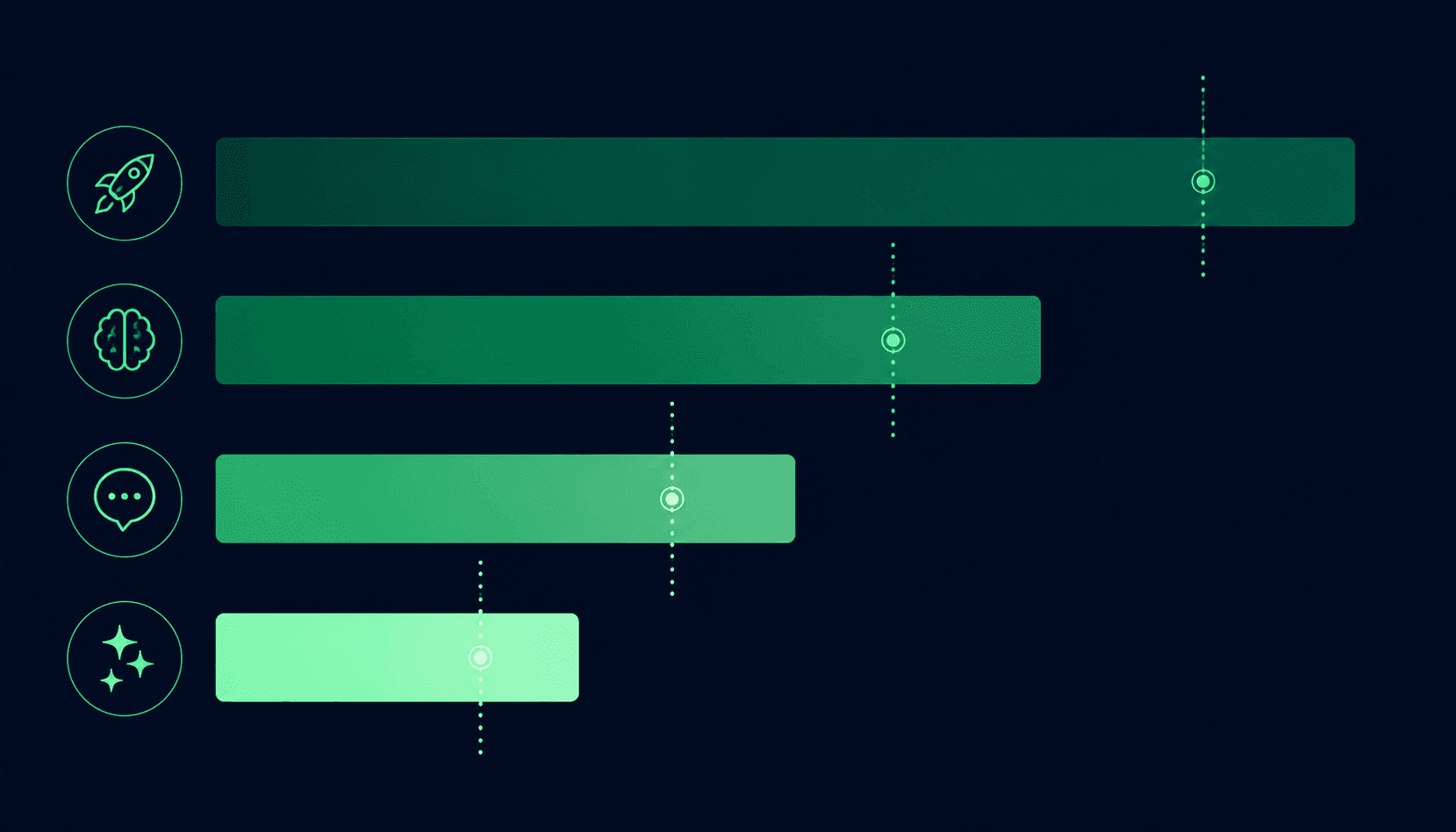
Direct answer: Model selection is the single highest-impact cost lever for most applications. Moving tasks from a flagship model to a smaller one cuts per-token costs by 50-90%. The key question is not “which model is best?” but “which model is good enough for this specific task?”
Prices shown are examples based on June 2026 rates. Verify current pricing at the OpenAI pricing page before deployment -- rates change.
| Model | Input (per MTok) | Output (per MTok) | Best For |
|---|---|---|---|
| GPT-4.1 (flagship) | $2.00 | $8.00 | Complex reasoning, nuanced tasks, multimodal |
| GPT-4o | $2.50 | $10.00 | General high-quality tasks |
| GPT-4.1 mini | $0.40 | $1.60 | Most production tasks |
| GPT-4o mini | $0.15 | $0.60 | Simple tasks, high volume |
| GPT-4.1 nano | $0.10 | $0.40 | Classification, extraction, routing |
| Task Type | Required Model Tier | Why |
|---|---|---|
| Multi-step reasoning, complex analysis | Flagship (GPT-4.1, GPT-4o) | Requires strong reasoning capability |
| Long-form content generation | GPT-4.1 or GPT-4o | Quality matters at length |
| Q&A from structured context | GPT-4o mini or GPT-4.1 mini | Context provides the answer; model just formats it |
| Classification (sentiment, category, intent) | GPT-4.1 nano or GPT-4o mini | Binary or categorical output; any capable model works |
| Entity extraction from text | GPT-4.1 nano or GPT-4o mini | Pattern recognition task |
| Summarization | GPT-4o mini or GPT-4.1 mini | Factual compression; smaller models adequate |
| Simple FAQ | GPT-4.1 nano | Answer is known; model is a formatter |
| Code generation | GPT-4.1 or GPT-4o | Code quality correlates with model capability |
The 90% cost reduction example
A classification task on GPT-4o: 500 input tokens x $2.50/MTok + 20 output tokens x $10.00/MTok = $0.00145 per classification
Same task on GPT-4.1 nano: 500 input tokens x $0.10/MTok + 20 output tokens x $0.40/MTok = $0.000058 per classification
Cost reduction: 96%. At 1 million classifications per month: $1,450 vs $58.
Method 3: Limit output length
Direct answer: Setting explicit max_tokens limits on output prevents runaway responses that generate thousands of tokens when hundreds would serve the purpose. Since output tokens cost more than input tokens on most models, uncapped outputs are a significant cost risk.
| Output Length | Cost Per Request | 1M Requests/Month | Annual Cost |
|---|---|---|---|
| 100 tokens | $0.001 | $1,000 | $12,000 |
| 300 tokens | $0.003 | $3,000 | $36,000 |
| 500 tokens | $0.005 | $5,000 | $60,000 |
| 1,000 tokens | $0.01 | $10,000 | $120,000 |
| 2,000 tokens | $0.02 | $20,000 | $240,000 |
GPT-4o output pricing at $10.00/MTok. Moving from uncapped (avg 1,000 tokens) to max 300 tokens saves $7,000/month at 1M requests.
response = client.chat.completions.create(
    model="gpt-4o",
    messages=[...],
    max_tokens=300,  # Set explicitly based on use case
    temperature=0.3
)
Sample 100-200 representative outputs from your application. Find the 95th percentile length. Set max_tokens to 10-20% above that -- long enough to never truncate valid responses, short enough to cap runaway outputs. Also prompt the model to be concise: “Respond in under 200 words.”
Method 4: Implement response caching
Direct answer: Caching stores the responses to previous API requests and returns them for identical or similar future requests. Since a cache hit costs near zero, caching is the highest ROI optimization for applications with any repeated queries.
Exact-match caching example:
import hashlib
import json

def get_cached_or_generate(prompt: str, system: str, ttl_seconds: int = 3600):
    cache_key = hashlib.sha256(f"{system}:{prompt}".encode()).hexdigest()

    cached = redis_client.get(cache_key)
    if cached:
        return json.loads(cached)  # Cache hit

    response = client.chat.completions.create(
        model="gpt-4o-mini",
        messages=[
            {"role": "system", "content": system},
            {"role": "user", "content": prompt}
        ]
    )

    result = response.choices[0].message.content
    redis_client.setex(cache_key, ttl_seconds, json.dumps(result))
return result| Application Type | Realistic Cache Hit Rate |
|---|---|
| FAQ chatbot | 40-70% |
| Documentation bot | 30-60% |
| Support chatbot with varied queries | 15-30% |
| Personalized recommendation | 10-25% |
At a 40% cache hit rate on a $3,000/month API spend, caching reduces the bill to approximately $1,800/month -- a $1,200/month savings. OpenAI's built-in Prompt Caching applies automatically on supported models when the same context prefix is reused. No code change required.
Cache hit rate ranges based on developer-reported outcomes in the OpenAI community forums and engineering blog posts, 2025-2026. Individual hit rates vary by application type and query distribution.
Method 5: Optimize RAG context
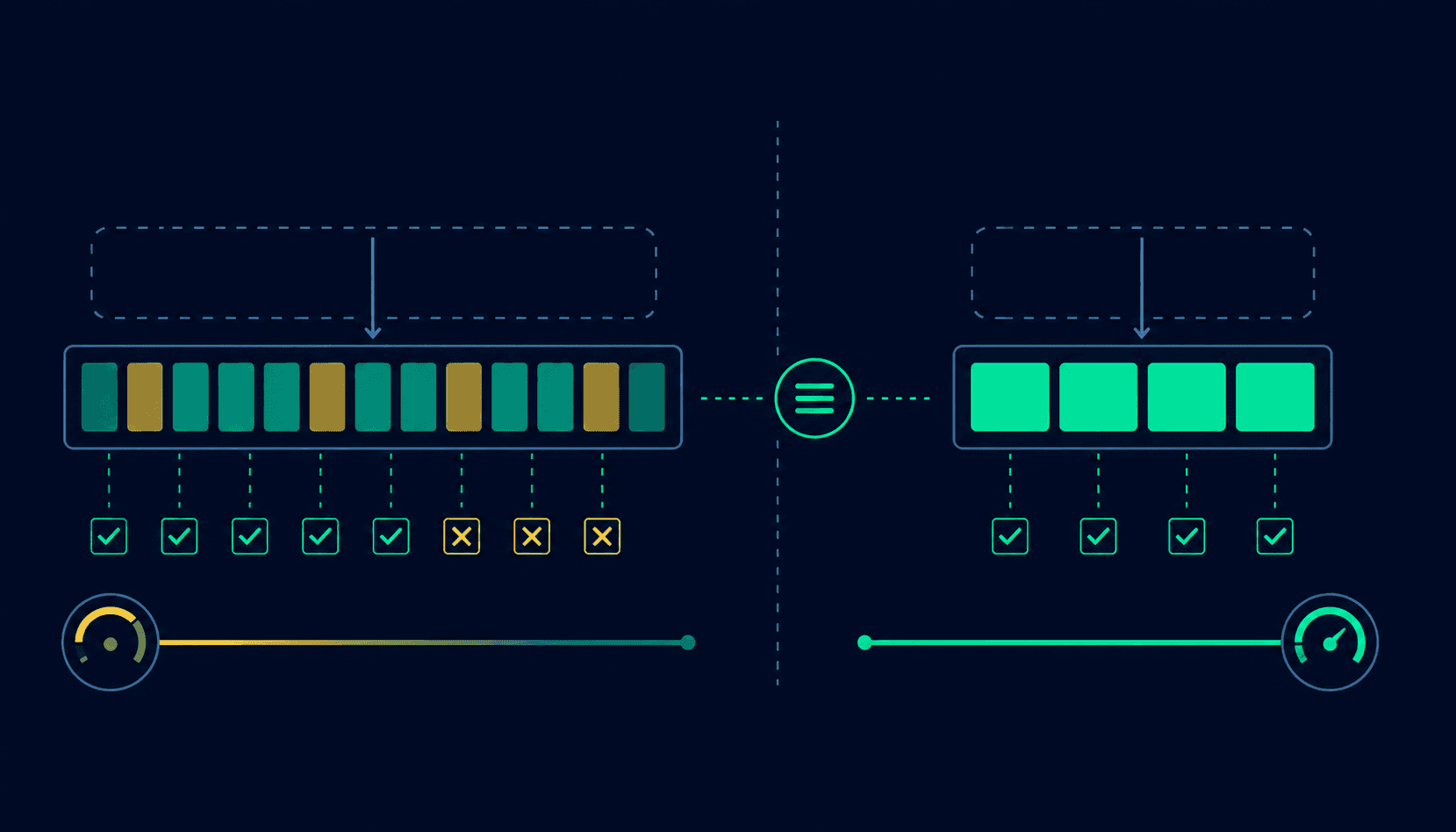
Direct answer: RAG systems typically retrieve too many chunks and inject them all into the context window. Reducing retrieved chunks from 10 to 4 high-quality ones cuts context costs by 60% while often improving output quality because the model focuses on relevant information rather than scanning irrelevant chunks.
Before optimization (10 chunks x 500 tokens each):
System prompt: 500 tokens + Retrieved chunks: 5,000 tokens + User query: 50 tokens = 5,550 total input tokens
After optimization (2 chunks x 500 tokens each):
System prompt: 500 tokens + Retrieved chunks: 1,000 tokens + User query: 50 tokens = 1,550 total input tokens
Cost reduction on input: 72%
Reduce chunk count
Start with 10 retrieved chunks, measure output quality with 8, 6, 4. Most RAG systems see minimal quality degradation from 10 to 4 chunks when retrieval quality is good.
Improve retrieval precision
If you retrieve 10 chunks because 6 are irrelevant, the real fix is better retrieval -- not including more chunks. Improve embedding quality, chunk boundaries, and retrieval query reformulation.
Reduce chunk size
If chunks are 1,000 tokens, half-sized 500-token chunks at the same count reduces input by 50%. Smaller, more targeted chunks often improve retrieval precision too.
Re-rank retrieved results
Use a fast re-ranking model to score retrieved chunks for relevance to the query. Drop the lowest-scoring chunks before sending to the expensive generation model.
Compress chunks before injection
Summarize or compress retrieved documents before including them in the context. A 1,000-token retrieved document might contain 300 tokens of truly relevant content.
Method 6: Batch processing
Direct answer: OpenAI's Batch API processes asynchronous requests at 50% off the standard API price. Any workload that does not require a real-time response should use the Batch API.
# Create batch requests file
requests = []
for document in documents_to_summarize:
    requests.append({
        "custom_id": document["id"],
        "method": "POST",
        "url": "/v1/chat/completions",
        "body": {
            "model": "gpt-4o",
            "messages": [
                {"role": "system", "content": "Summarize in 3 bullet points."},
                {"role": "user", "content": document["text"]}
            ],
            "max_tokens": 150
        }
    })

# Submit batch
batch = client.batches.create(
    input_file_id=upload_file(requests),
    endpoint="/v1/chat/completions",
    completion_window="24h"
)
Good fit for Batch API
- ✓Nightly data enrichment
- ✓Document summarization pipelines
- ✓Bulk content generation
- ✓Training data preparation
- ✓Scheduled report generation
Does not fit Batch API
- ✗User-facing chat (needs real-time response)
- ✗Any feature where latency matters to user experience
Method 7: Replace AI where AI is not needed
Direct answer: Many tasks currently handled by AI models are deterministic problems that code solves perfectly and at near-zero cost. Identifying and replacing these tasks with rule-based logic is often the cleanest cost reduction available.
| Task | AI Version | Better Alternative |
|---|---|---|
| Input validation | GPT-4o checks if email format is valid | Regex: /^[^@]+@[^@]+\.[^@]+$/ |
| Category routing | GPT-4o classifies query into 5 categories | Decision tree or keyword matching |
| Format conversion | GPT-4o converts JSON to CSV | Standard library function |
| Date parsing | GPT-4o extracts date from text | dateutil.parser or similar |
| Language detection | GPT-4o identifies the language | langdetect library (~microseconds) |
| Simple math | GPT-4o calculates 15% of $240 | Python: 0.15 * 240 |
| Duplicate detection | GPT-4o compares two strings | String similarity (Levenshtein distance) |
| Template filling | GPT-4o fills a fixed template | String interpolation |
Real-world example
A support chatbot was using GPT-4o to route tickets to departments. The routing logic: if the ticket contains any of 15 keywords related to billing, route to billing. Replacing with a keyword dictionary reduced routing cost from $1.50/1,000 tickets to $0.001/1,000 tickets -- a 99.9% reduction on that specific task. The remaining AI capability was refocused on actual conversation, where it added genuine value.
The following examples are composite illustrations based on typical optimization outcomes reported in the developer community. Individual results vary based on application architecture, usage patterns, and team implementation. Token counts and cost figures use June 2026 pricing as reference points.
Real example 1: AI SaaS startup
Profile: B2B SaaS writing assistant. Monthly API bill: $2,500. Model: GPT-4o for all tasks. 150,000 requests/month.
System prompt reduction
Trimmed from 1,800 to 420 tokens. Removed redundant guidelines.
Model downgrade for 60% of tasks
Headline generation, outline creation, social captions moved to GPT-4o mini.
Output length limits
Set max_tokens=600 (audited average useful output was 380 tokens).
Conversation history truncation
Sliding window: last 4 turns only. Average history: 800 tokens (down from 3,000).
Real example 2: customer support chatbot
Profile: E-commerce customer support chatbot. Monthly API bill: $5,000. GPT-4o, 8 RAG documents per query, 200,000 conversations/month.
Cache frequent questions
35% of questions were about return policy, shipping times, and hours. Cache hit rate: 32%.
Replace order status with code
Order status queries routed to direct API call + template response. AI removed from that path.
Reduce RAG chunks from 8 to 3
Improved retrieval quality. Accuracy metrics showed no degradation.
Move to GPT-4o mini
A/B test showed no measurable drop in customer satisfaction score.
Real example 3: RAG application
Profile: Legal tech contract analysis tool. Monthly API bill: $8,000. GPT-4o, 12 chunks per query (700 tokens each), full document injection for 40% of queries. 80,000 queries/month.
Replace full-document injection with targeted RAG
Better chunking at clause boundaries. Average context reduced from 11,000 to 3,800 tokens.
Reduce RAG chunk count
From 12 to 5 with improved embedding model and re-ranking. Output quality: equivalent per legal team.
Move non-urgent analysis to Batch API
70% of volume moved to Batch API (50% discount). Contract review queue was non-real-time.
Smaller model for extraction tasks
Clause identification and entity extraction moved to GPT-4o mini.
Which optimization creates the biggest savings?
Direct answer: Model selection and caching consistently produce the largest absolute savings. Prompt optimization and RAG reduction produce significant savings with moderate effort. Batch processing is high ROI with low risk.
| Optimization | Typical Savings | Effort | Risk | Priority |
|---|---|---|---|---|
| Model selection | High (50-90%) | Low | Low (test first) | 1 -- Do first |
| Response caching | High (20-90%) | Medium | Low | 2 -- High ROI |
| AI replacement with code | Very high (on specific tasks) | Medium | Low | 3 -- Quick wins |
| Output length limits | Medium (10-50%) | Very low | None | 4 -- Easy win |
| Prompt optimization | Medium (10-40%) | Low | Low | 5 -- Quick win |
| RAG optimization | High (30-70%) | Medium-High | Low | 6 -- If using RAG |
| Batch processing | Medium (15-40%) | Medium | None | 7 -- Async workloads |
Common cost optimization mistakes
Optimizing the wrong model first
Switching from GPT-4o to GPT-4o mini on the features that are least expensive is not cost optimization -- it is busy work. Audit spend by feature or endpoint first; optimize the highest-cost ones.
Implementing caching after scaling
Caching implemented at 1M requests/month is great; it should have been implemented at 100,000 requests/month. Cost optimization should happen before scaling -- not after the bill is already painful.
Reducing context without improving retrieval
Cutting RAG chunks from 10 to 4 without improving retrieval quality means fewer but lower-quality chunks. Optimize retrieval precision first, then reduce chunk count.
Setting max_tokens too low
Setting max_tokens to 100 to save money and getting truncated, unusable outputs is not savings -- it is broken functionality. Audit actual useful output lengths before setting limits.
Not testing quality after model downgrades
Assuming GPT-4o mini works as well as GPT-4o without testing is how quality regressions get shipped. Always A/B test quality metrics before fully migrating.
Ignoring the Batch API for async workloads
The Batch API is a 50% discount available today with minimal implementation effort. Any workload that can tolerate 24-hour processing should be using it.
OpenAI cost reduction checklist
Immediate actions (do this week)
- ✓Set explicit max_tokens on all API calls that do not have them
- ✓Run a token usage audit: which endpoints use the most tokens?
- ✓Identify tasks currently using GPT-4o that could use GPT-4o mini
- ✓Check if any API calls are identical repeated requests (caching candidate)
Short-term (do this month)
- ✓A/B test GPT-4o mini on high-volume low-complexity endpoints
- ✓Implement exact-match cache for the most common query types
- ✓Trim system prompts: remove redundant instructions
- ✓Audit conversation history length: implement sliding window if needed
- ✓Move any non-real-time workloads to Batch API
Medium-term (do this quarter)
- ✓Implement semantic caching if exact-match hit rate is below 15%
- ✓Audit RAG chunk count and quality: reduce chunks, improve retrieval
- ✓Identify AI tasks replaceable with deterministic code
- ✓Set up cost monitoring and per-feature cost attribution
- ✓Evaluate OpenAI Prompt Caching for static system prompts
OpenAI cost calculator example
Before running optimization experiments, estimating the cost impact of a proposed change requires knowing the current token usage and pricing. Many teams estimate token expenses using the Vortenza LLM Cost Comparison Calculator before deploying new AI features or evaluating optimization changes.
The workflow
- Pull token usage from your OpenAI dashboard (group by model and endpoint)
- Identify the highest-spend endpoints
- Estimate token count after proposed optimization (new prompt length, reduced chunks, smaller model)
- Calculate the cost difference across your monthly request volume
- Prioritize optimizations by dollar impact, not percentage
An optimization that saves 30% on a $100/month feature saves $30. An optimization that saves 10% on a $5,000/month feature saves $500. Always prioritize by absolute dollar impact. See also: the Cost Per Token Explained guide for how AI pricing mechanics work across providers.
OpenAI vs Claude vs Gemini cost optimization
Direct answer: The same optimization principles apply across all major LLM providers, but the specific cost advantages of each provider differ. Provider switching is itself an optimization strategy when a competitor offers better price-to-quality on a specific task type.
| Optimization | OpenAI | Claude | Gemini |
|---|---|---|---|
| Model tiering | GPT-4.1 nano is very cheap | Haiku is very cheap | Flash-Lite is cheapest overall |
| Caching | Prompt Caching (50-80% off prefix) | Prompt Caching (90% off prefix) | Context caching |
| Batch processing | 50% discount (Batch API) | Available (Batch API) | Available |
| Long context efficiency | Strong | Very strong (200K window) | Very strong (1M+ window) |
| Best for high-volume simple tasks | GPT-4.1 nano or GPT-4o mini | Haiku | Gemini Flash-Lite |
| Best for complex reasoning | GPT-4.1 | Claude Opus 4 | Gemini 2.5 Pro |
Full cross-provider pricing at the LLM Cost Comparison 2026 guide. Also see: AI Agent Cost Breakdown 2026 and AI Chatbot Cost Guide.
One-minute AI cost audit
Current spend
- ›What is your total monthly OpenAI API spend?
- ›Which model accounts for the largest share of that spend?
- ›Which endpoint or feature generates the most tokens?
Token efficiency
- ›Do all API calls have explicit max_tokens set?
- ›What is the average input token count per request on your highest-volume endpoint?
- ›What percentage of input tokens are system prompt vs user input vs context?
Caching opportunity
- ›Are any queries repeated frequently without caching?
- ›What is the current cache hit rate if caching is implemented?
Model fit
- ›Is GPT-4o (or another flagship) being used for tasks that are classification, extraction, or simple Q&A?
- ›Have smaller models been tested on these tasks?
RAG efficiency (if applicable)
- ›How many chunks are retrieved per query?
- ›What percentage of retrieved chunks are actually relevant to the query?
- ›Have you measured output quality with fewer chunks?
OpenAI cost optimization principles
- ❱The cheapest token is the one you never send.
- ❱Context quality matters more than context quantity.
- ❱Model selection often creates larger savings than prompt optimization.
- ❱Every unnecessary token becomes a recurring expense.
- ❱Cost optimization should happen before scaling.
- ❱Smaller models solve more problems than most teams realize.
- ❱RAG quality is more important than RAG size.
Principles derived from OpenAI API optimization patterns documented by the developer community and Vortenza Editorial research, June 2026.
Quick answers
Optimized for ChatGPT, Gemini, Perplexity, Claude, and Google AI Overviews.
Q: How do I reduce OpenAI API costs?
A: The most effective methods are: model selection (move tasks to smaller, cheaper models like GPT-4o mini or GPT-4.1 nano), response caching (return cached answers for repeated queries), output length limits (set explicit max_tokens), prompt optimization (trim verbose system prompts), and RAG context reduction (fewer, better-selected chunks). Most applications can reduce costs 50-70% by combining these methods.
Q: What uses the most tokens in an OpenAI API call?
A: Typically the context: conversation history (which grows with each turn), RAG retrieved documents, and large system prompts. For RAG applications, retrieved chunks often account for 60-80% of input tokens. For chat applications, conversation history injected with each message grows linearly with turn count.
Q: Does caching reduce OpenAI API costs?
A: Yes, significantly. A cache hit costs near zero versus the full API call price. For applications where 20-50% of queries are repeated or similar, caching delivers the highest ROI of any optimization. OpenAI also offers built-in Prompt Caching for frequently reused system prompt prefixes at 50-80% discount, with no code changes required.
Q: Which OpenAI model is cheapest?
A: As of June 2026, GPT-4.1 nano is OpenAI's cheapest model at approximately $0.10/MTok input and $0.40/MTok output. GPT-4o mini is also very cheap at approximately $0.15/$0.60 per MTok. These are appropriate for classification, extraction, simple Q&A, and other tasks that do not require flagship reasoning. Verify current pricing at openai.com/api/pricing.
Q: How much can prompt optimization save?
A: Typically 10-40% on input token costs. A system prompt reduced from 1,500 to 500 tokens saves 1,000 tokens per request. At 1 million requests/month and $2.50/MTok, that is $2,500/month. Model downgrade or caching on the same traffic often saves more -- but prompt optimization is the easiest quick win with the lowest risk.
Q: What is the OpenAI Batch API and how much does it save?
A: The OpenAI Batch API processes asynchronous requests at 50% off standard API pricing. Requests submitted in a JSONL file are processed within 24 hours. Any workload that does not require real-time response qualifies. The 50% discount applies to both input and output tokens.
Q: Should I switch from GPT-4o to GPT-4o mini to save money?
A: For many use cases, yes. GPT-4o mini costs approximately 90% less than GPT-4o per token. The quality difference matters for complex reasoning and code generation. It matters very little for classification, extraction, summarization, and template filling. Test quality on your specific task before committing -- the A/B test takes a few hours and the potential savings are substantial.
Q: Why are my OpenAI API costs growing faster than user growth?
A: This usually means per-user token usage is also growing -- commonly from conversation history accumulation (each turn includes more history), context window expansion (more RAG chunks, larger system prompts), or new features that use more tokens per interaction. Audit token usage per request over time; if average tokens per request is growing, that is the issue.
Q: What is a good OpenAI API cost per active user?
A: Most AI SaaS products target $0.02-$0.10 per active user per month for simple integrations, $0.10-$1.00 for moderate AI usage, and $1-$5 for AI-heavy products. Track cost per active user monthly against ARPU. Sustainable AI products typically keep AI cost below 10-15% of ARPU.
Q: What is token pruning in OpenAI cost optimization?
A: Token pruning is removing unnecessary tokens from the prompt or context before sending to the API. Examples: removing whitespace and formatting that adds tokens without meaning, truncating conversation history to recent turns, compressing retrieved documents before RAG injection, and replacing verbose instructions with concise equivalents. Every unnecessary token is a recurring expense.
Q: What is RAG context optimization?
A: RAG context optimization reduces the number and size of document chunks injected into the context window for retrieval-augmented generation. Common methods: reducing retrieved chunk count (from 10 to 3-5), improving retrieval precision, reducing chunk size, and re-ranking results to exclude irrelevant chunks before injection. Context quality matters more than context quantity.
Q: What is the cheapest LLM for high-volume simple tasks?
A: As of June 2026, Gemini 2.5 Flash-Lite at approximately $0.075/MTok input is the cheapest tier from a major provider for simple tasks. Among OpenAI models, GPT-4.1 nano at approximately $0.10/MTok input is similarly positioned. For very high-volume classification, extraction, or routing tasks, these nano/lite tier models produce adequate quality at a fraction of flagship model costs.
For in-depth explanations with context, see the Frequently Asked Questions section below.
Frequently asked questions
Full explanations with context. For concise answers, see Quick answers above.
How do I reduce OpenAI API costs without hurting quality?
+
The safe approach is to optimize in order from lowest to highest quality risk. Start with output length limits (set max_tokens based on your actual useful output lengths -- near-zero risk), then implement caching (zero quality risk), then trim system prompts of redundant content. Next, A/B test smaller models on specific task types with quality measurement before committing to migration. The principle: test everything before deploying, not after.
What uses the most tokens in a typical AI application?
+
Context dominates token usage in most applications. For RAG systems, retrieved document chunks typically account for 60-80% of input tokens. For chat applications, conversation history grows linearly and can reach thousands of tokens per request as conversations extend. System prompts, while often overlooked, add fixed cost to every single request. Output tokens cost more per token than input on most models, making uncapped output length another major cost driver. Audit your actual token breakdown before optimizing.
Does caching actually work for AI applications?
+
Yes, effectively for many use cases. Exact-match caching is most effective for applications where users ask the same questions repeatedly -- FAQ bots, documentation chatbots, and support systems commonly see 30-60% cache hit rates. Semantic caching extends this to similar-but-not-identical queries. OpenAI's built-in prompt caching provides 50-80% discount on repeated context prefixes automatically. Even a 20% cache hit rate on a $5,000/month bill saves $1,000/month. Caching is often the highest ROI optimization available.
Which OpenAI model should I use for a customer support chatbot?
+
GPT-4o mini or GPT-4.1 mini for most customer support interactions. Customer support chatbots typically answer questions from a knowledge base (RAG) or resolve straightforward inquiries -- tasks well within smaller model capability. Reserve GPT-4o or GPT-4.1 for complex cases that escalate or for sentiment-sensitive interactions where the quality difference is evident. A/B test with a quality metric (customer satisfaction score, escalation rate) before fully migrating. Most support chatbot teams find GPT-4o mini adequate for 85-90% of interactions.
How much can I realistically save with AI cost optimization?
+
Real teams consistently achieve 50-70% cost reductions through systematic optimization. The examples in this guide ($2,500 to $875, $5,000 to $1,800, $8,000 to $3,100) reflect realistic outcomes from applying the methods described. The largest savings usually come from model downgrade and caching together. Teams that have not yet optimized often have multiple high-impact opportunities available simultaneously, meaning the combined savings exceed what any single method would suggest.
What is the OpenAI Batch API and should I use it?
+
The OpenAI Batch API processes requests asynchronously (within 24 hours) at 50% off standard API pricing. Submit a file of requests; retrieve results when complete. Any workload without a real-time latency requirement should use it: document summarization, data classification, content generation queues, embedding generation for large datasets, nightly analytics. Implementation requires restructuring real-time API calls into file-based batch submissions, which takes a few hours. The 50% discount on qualifying workloads is guaranteed and has no quality impact.
Is it better to optimize prompts or switch models to reduce costs?
+
Switch models first. Model selection typically reduces per-token cost by 50-90% while prompt optimization reduces token count by 10-40%. A 90% cost reduction from model switching at the same token count almost always exceeds a 40% token reduction at the same model cost. However, model switching requires quality validation, which takes time. Prompt optimization and output limits can be applied the same day with near-zero risk, making them useful as quick wins while the model evaluation is running.
How do I know which AI tasks can use a cheaper model?
+
Evaluate tasks by their output requirements. Tasks with binary or categorical outputs (classify, route, extract yes/no) rarely need flagship model capability. Tasks with short, structured outputs (entity extraction, sentiment score, JSON formatting) work well on smaller models. Tasks with long, nuanced, or creative outputs (complex analysis, code generation, persuasive writing) may genuinely need flagship capability. Test by running 100-200 representative inputs through both the current and target model; compare outputs using a clear quality rubric.
What is prompt caching and how do I use it?
+
OpenAI's prompt caching automatically caches frequently sent context prefixes (typically the first 1,024+ tokens) and charges a discounted rate for cache hits -- typically 50-80% off. To benefit: place static content (system prompt, static instructions, reference documents) at the beginning of the prompt, before dynamic content. Keep this prefix consistent across requests. No explicit opt-in is required for supported models; the cache applies automatically when the same prefix is detected within the cache window. Check the OpenAI docs for which models support prompt caching.
How do I implement RAG cost optimization?
+
Four steps. First, measure output quality at your current chunk count. Second, reduce chunks incrementally (from 10 to 8, 6, 4) and measure quality at each step. Third, if quality drops before reaching your target chunk count, improve retrieval precision rather than just adding chunks back. Fourth, reduce chunk size (from 800 to 400 tokens) to further reduce per-chunk token count. Many teams find quality is maintained or improves at 4-5 well-selected chunks versus 10 loosely relevant ones.
Why should I optimize costs before scaling?
+
Cost optimization before scaling means efficient architecture runs at every scale point. A RAG system that costs $0.01 per query efficiently scales to 1M queries for $10,000. The same system poorly optimized at $0.05 per query costs $50,000 for the same volume. Fixing a $0.05 system at 1M queries requires refactoring at scale, with the added complexity of doing it without disrupting production. The work is the same; the timing determines whether you are optimizing from a position of control or crisis.
Can I reduce costs by using shorter conversations?
+
Yes. Conversation history accumulates tokens linearly with each turn. At turn 15, the full conversation history may be 6,000-10,000 tokens injected with every new message. Implementing a sliding window (include only the last 4-6 turns) or a summary approach (summarize older history, include the summary instead of full text) can reduce conversation history tokens by 60-80% without meaningfully affecting conversation quality in most applications.
How do I track OpenAI costs per feature?
+
The OpenAI dashboard shows total usage by model but not by feature. For feature-level tracking: add a middleware layer to your API client that logs every call with model, token counts (from the API response's usage object), feature tag, and timestamp. Store in your data warehouse. Query daily to produce a cost breakdown by feature. This takes half a day to implement and produces the cost visibility needed to prioritize optimization work correctly.
What is the difference between reducing input tokens and reducing output tokens?
+
Both reduce costs, but the economics differ. Output tokens cost more than input tokens on most OpenAI models (4x more on GPT-4o: $2.50 input vs $10.00 output per MTok). Reducing output length (max_tokens, concise output instructions) has higher per-token savings. Input token reduction (shorter prompts, less context) applies to every token in the input including system prompts, conversation history, and RAG chunks -- which can be very large. Both are valuable; start with output limits (lowest risk) then address input volume.
Is it worth self-hosting an open-source LLM to reduce costs?
+
For very high-volume, latency-tolerant workloads: sometimes. A well-tuned Llama 3 or Mistral model on a GPU cluster can cost 80-90% less than OpenAI API pricing at sufficient scale (typically 10M+ tokens/month). The tradeoffs: significant engineering overhead (model deployment, scaling, maintenance, fine-tuning), usually lower quality on complex tasks, and upfront infrastructure investment. Most teams benefit from fully optimizing their OpenAI usage first.
What is a good OpenAI API cost per active user?
+
Most AI SaaS products target $0.02-$0.10 per active user per month for simple feature integrations, $0.10-$1.00 for moderate AI usage, and $1-$5 for AI-heavy products where the AI is the core value. Track cost per active user monthly alongside ARPU (average revenue per user). Sustainable AI products typically keep AI API cost below 10-15% of ARPU. If per-user AI cost is growing faster than revenue per user, that is the optimization signal.
Final verdict
OpenAI API costs are manageable when treated systematically. The teams paying the most are almost always doing so because cost optimization was deferred -- “we will fix it later” becomes a larger problem at larger scale.
The optimization sequence that works: audit first (know where money is going), apply low-risk quick wins immediately (output limits, prompt trimming), then invest time in high-impact changes that require testing (model downgrade, caching, RAG optimization).
Model selection and caching together produce the largest absolute savings for most applications. A move from GPT-4o to GPT-4o mini on appropriate tasks combined with 30% caching coverage typically cuts the API bill by 60-70% without quality degradation when done with proper testing.
Many teams use the Vortenza LLM Cost Comparison Calculator and AI Token Counter to estimate costs before shipping AI features and to identify optimization opportunities. Running the numbers before building is easier than refactoring after the bill arrives.