
Regex cheat sheet 2026: copy-paste examples for developers
There is a running joke that when you solve a problem with regex, you now have two problems -- nobody, including the original author three months later, fully understands what it does. That joke exists for a reason. Regex is genuinely powerful. It is also genuinely easy to write in a way that looks correct but is not, that passes your test cases but fails in production, or that works on your machine and causes catastrophic backtracking on a user's input.
This guide exists to make regex legible. You will find 25 copy-paste patterns for the most common validation tasks, syntax tables for when you need to build something custom, and explanations of the mistakes that trip up developers at every level. Whether you are validating an email address, extracting timestamps from log files, or writing a URL router, the patterns here cover the practical ground.
Regex is not a programming language -- it is a pattern specification language. Understanding its building blocks means you can read and write any pattern, not just copy the ones you already recognize.
Direct answer
Regex (regular expression) is a sequence of characters that defines a search pattern used to match, search, validate, or extract text. The table in the next section covers the most essential symbols -- understanding these covers the majority of practical regex work. For copy-paste patterns, jump directly to the 25 most useful patterns section.
Key takeaways
- ✓Anchors (^ and $) are the most common source of failed matches -- without them, the pattern can match anywhere in the string.
- ✓The dot (.) matches any character except a newline. To match a literal dot (like in .com), you must escape it: \.
- ✓Greedy quantifiers match as much as possible by default. Adding ? makes them lazy: *? and +? match as little as possible.
- ✓Regex should validate assumptions, not replace business logic -- for parsing HTML, JSON, or complex structured formats, use a purpose-built parser.
- ✓Nested quantifiers like (a+)+ cause catastrophic backtracking on non-matching input. Restructure patterns to eliminate quantifier ambiguity.
- ✓Test patterns in the actual engine you will use in production. JavaScript, Python, Go, and .NET all behave differently on edge cases.
Regex quick reference: need → pattern
| Need | Recommended pattern | Notes |
|---|---|---|
| Email validation | ^[a-zA-Z0-9._%+\-]+@[a-zA-Z0-9.\-]+\.[a-zA-Z]{2,}$ | Good first filter; verify deliverability separately |
| Phone (US) | ^\+?1?\s*[\(\-]?\d{3}[\)\-\s]?\d{3}[\-\s]?\d{4}$ | Handles most US number formats |
| Phone (international) | ^\+[1-9]\d{1,14}$ | E.164 format |
| URL (http/https) | ^https?:\/\/(www\.)?[-a-zA-Z0-9@:%._\+~#=]{1,256}\.[a-zA-Z0-9()]{1,6}\b.*$ | Use a URL parser for strict validation |
| Strong password | ^(?=.*[a-z])(?=.*[A-Z])(?=.*\d)(?=.*[@$!%*?&])[A-Za-z\d@$!%*?&]{8,}$ | Adjust symbol set and min length as needed |
| UUID | ^[0-9a-fA-F]{8}-[0-9a-fA-F]{4}-[0-9a-fA-F]{4}-[0-9a-fA-F]{4}-[0-9a-fA-F]{12}$ | All four RFC 4122 UUID variants |
| US ZIP code | ^\d{5}(-\d{4})?$ | 5-digit or ZIP+4 |
| Date (YYYY-MM-DD) | ^\d{4}-(0[1-9]|1[0-2])-(0[1-9]|[12]\d|3[01])$ | Does not validate Feb 30 -- check in code |
On this page
- 1.What is regex?
- 2.How regex syntax works
- 3.The 25 most useful regex patterns
- 4.Email validation regex: pattern breakdown
- 5.Password validation regex: pattern breakdown
- 6.URL validation regex: pattern breakdown
- 7.Regex character classes explained
- 8.Regex quantifiers explained
- 9.Regex anchors explained
- 10.Common regex mistakes
- 11.Regex performance problems
- 12.Regex tester example
- 13.When to use regex vs simpler alternatives
- 14.Regex vs string functions
- 15.Regex engine differences cheat sheet
- 16.Regex in Python and JavaScript
- 17.Regex best practices
- 18.One-minute regex audit
- 19.Quick answers
- 20.Frequently asked questions
What is regex?
A regular expression (regex) is a formal pattern that describes a set of strings. When you write \d{4}-\d{2}-\d{2}, you are describing every string that looks like a date in YYYY-MM-DD format. The regex engine reads your pattern and checks whether an input string belongs to that set.
Regex is not a programming language in the traditional sense. It has no variables, no control flow, and no side effects. It is a pattern specification language -- a compact notation for describing text shapes.
Where regex is built in or natively supported:
- •Programming languages: JavaScript, Python, Java, Go, PHP, Ruby, C#, Swift, Kotlin
- •Text editors: VS Code, Vim, Neovim, Sublime Text, JetBrains IDEs
- •Command-line tools: grep, sed, awk, ripgrep
- •Databases: PostgreSQL (POSIX regex), MySQL (REGEXP), SQLite (REGEXP with a user function)
- •Web frameworks: URL routing in Express, Django, Rails, Laravel
- •Log analysis: Logstash, Splunk, Datadog grok patterns
The same core syntax works across all of them with minor variations. Learning regex once makes you more productive everywhere text is involved.
How regex syntax works
Regex syntax is built from a small set of symbols. Most characters match themselves literally -- the letter a matches the letter a. A handful of characters have special meaning: dot, asterisk, plus, question mark, caret, dollar, backslash, parentheses, square brackets, curly braces, and pipe. Escaping any of these with a backslash makes them match literally.
| Symbol | Meaning | Example | Matches |
|---|---|---|---|
. | Any character except newline | a.c | abc, a1c, a-c |
* | Zero or more of the preceding element | ab* | a, ab, abb, abbb |
+ | One or more of the preceding element | ab+ | ab, abb (not bare a) |
? | Zero or one of the preceding element | colou?r | color, colour |
[] | Character class -- one character listed inside | [aeiou] | a, e, i, o, or u |
[^] | Negated class -- any character NOT listed | [^0-9] | any non-digit |
^ | Start of string (or line in multiline mode) | ^Hello | Hello at start only |
$ | End of string (or line in multiline mode) | world$ | world at end only |
() | Capturing group -- captures the match | (ab)+ | ab, abab, ababab |
(?:) | Non-capturing group -- groups without capturing | (?:ab)+ | ab, abab (not captured) |
| | Alternation (OR) | cat|dog | cat or dog |
{n} | Exactly n repetitions | \d{4} | 2026 |
{n,m} | Between n and m repetitions | \d{2,4} | 12, 123, 1234 |
\ | Escape a special character | \. | literal dot only |
The 25 most useful regex patterns
These 25 patterns cover the most common validation and matching tasks. Copy them as-is or adjust the character sets and quantifiers to fit your specific requirements. All patterns use standard PCRE-compatible syntax that works in JavaScript, Python, Java, PHP, and most other languages.
| # | Use case | Pattern | Notes |
|---|---|---|---|
| 1 | Basic email | ^[a-zA-Z0-9._%+\-]+@[a-zA-Z0-9.\-]+\.[a-zA-Z]{2,}$ | Covers the vast majority of real email addresses |
| 2 | Phone (US, flexible) | ^\+?1?\s*[\(\-]?\d{3}[\)\-\s]?\d{3}[\-\s]?\d{4}$ | Handles spaces, dashes, parentheses in US numbers |
| 3 | Phone (E.164 international) | ^\+[1-9]\d{1,14}$ | E.164 format: + then 2-15 digits |
| 4 | URL (http/https) | ^https?:\/\/(www\.)?[-a-zA-Z0-9@:%._\+~#=]{1,256}\.[a-zA-Z0-9()]{1,6}\b([-a-zA-Z0-9()@:%_\+.~#?&\/=]*)$ | Matches http and https URLs with paths and query strings |
| 5 | IPv4 address | ^((25[0-5]|2[0-4][0-9]|[01]?[0-9][0-9]?)\.){3}(25[0-5]|2[0-4][0-9]|[01]?[0-9][0-9]?)$ | Validates each octet as 0-255 |
| 6 | IPv6 address (full) | ^([0-9a-fA-F]{1,4}:){7}[0-9a-fA-F]{1,4}$ | Full IPv6 -- does not match abbreviated forms |
| 7 | US ZIP code | ^\d{5}(-\d{4})?$ | 5-digit or ZIP+4 format |
| 8 | UK postcode | ^[A-Z]{1,2}[0-9][A-Z0-9]?\s?[0-9][ABD-HJLNP-UW-Z]{2}$ | Standard UK postcode format |
| 9 | Strong password | ^(?=.*[a-z])(?=.*[A-Z])(?=.*\d)(?=.*[@$!%*?&])[A-Za-z\d@$!%*?&]{8,}$ | Min 8 chars, requires uppercase, lowercase, digit, symbol |
| 10 | Username | ^[a-zA-Z0-9_\-]{3,20}$ | 3-20 chars: letters, digits, underscore, hyphen |
| 11 | Hex color | ^#([A-Fa-f0-9]{6}|[A-Fa-f0-9]{3})$ | #fff or #ffffff |
| 12 | Date (YYYY-MM-DD) | ^\d{4}-(0[1-9]|1[0-2])-(0[1-9]|[12]\d|3[01])$ | ISO 8601 date format |
| 13 | Date (MM/DD/YYYY) | ^(0[1-9]|1[0-2])\/(0[1-9]|[12]\d|3[01])\/\d{4}$ | US date format |
| 14 | Time (HH:MM 24-hour) | ^([01]?[0-9]|2[0-3]):[0-5][0-9]$ | 24-hour time format |
| 15 | Credit card (generic) | ^\d{4}[\s\-]?\d{4}[\s\-]?\d{4}[\s\-]?\d{4}$ | 16 digits with optional spaces or dashes |
| 16 | US Social Security | ^\d{3}-\d{2}-\d{4}$ | SSN format (never log or store in plaintext) |
| 17 | Integer | ^-?\d+$ | Positive or negative whole number |
| 18 | Decimal number | ^-?\d+(\.\d+)?$ | Integer or decimal |
| 19 | Currency (USD) | ^\$?\d{1,3}(,\d{3})*(\.\d{2})?$ | $1,234.56 or 1234.56 |
| 20 | Slug (URL-friendly) | ^[a-z0-9]+(?:-[a-z0-9]+)*$ | Lowercase letters, digits, hyphens -- no leading or trailing hyphen |
| 21 | HTML tag (basic) | <([a-z]+)([^<]+)*(?:>(.*)<\/\1>|\s+\/>) | Simple HTML tag -- use a proper parser for production |
| 22 | Twitter handle | ^@?(\w){1,15}$ | Optional @, 1-15 word characters |
| 23 | UUID (RFC 4122) | ^[0-9a-fA-F]{8}-[0-9a-fA-F]{4}-[0-9a-fA-F]{4}-[0-9a-fA-F]{4}-[0-9a-fA-F]{12}$ | All four UUID variants |
| 24 | MAC address | ^([0-9A-Fa-f]{2}[:\-]){5}([0-9A-Fa-f]{2})$ | 00:1A:2B:3C:4D:5E or 00-1A-2B-3C-4D-5E |
| 25 | File extension | \.(jpg|jpeg|png|gif|pdf|docx?)$ | Common file extensions -- add more inside the pipe list |
Email validation regex: pattern breakdown
Email validation is the most requested regex pattern in every programming community, and it is also where developers most often go wrong. The RFC 5321 specification for email syntax is notoriously complex -- technically valid email addresses can contain quotes, comments, and IP addresses in brackets. In practice, almost no real email service accepts the exotic forms.
Pattern:
^[a-zA-Z0-9._%+\-]+@[a-zA-Z0-9.\-]+\.[a-zA-Z]{2,}$| Component | Meaning |
|---|---|
^ | Start of string |
[a-zA-Z0-9._%+\-]+ | One or more chars: letters, digits, dot, underscore, percent, plus, hyphen (local part) |
@ | Literal @ sign |
[a-zA-Z0-9.\-]+ | One or more chars: letters, digits, dot, hyphen (domain name) |
\. | Literal dot (escaped) |
[a-zA-Z]{2,} | Two or more letters (TLD: com, io, co.uk, etc.) |
$ | End of string |
Production note
This pattern rejects obvious non-emails (missing @, no TLD, etc.) but cannot confirm the mailbox exists. For production: use the regex as a first filter, then confirm deliverability with a real send or a dedicated email validation API. See the FAQ below for more on this.
Password validation regex: pattern breakdown
Password validation uses lookaheads to impose multiple conditions on the same string without actually consuming characters. The four lookaheads in the pattern below each check for a different required character type, then the final character class does the actual matching.
Pattern:
^(?=.*[a-z])(?=.*[A-Z])(?=.*\d)(?=.*[@$!%*?&])[A-Za-z\d@$!%*?&]{8,}$| Component | Meaning |
|---|---|
^ | Start of string |
(?=.*[a-z]) | Lookahead: must contain at least one lowercase letter |
(?=.*[A-Z]) | Lookahead: must contain at least one uppercase letter |
(?=.*\d) | Lookahead: must contain at least one digit |
(?=.*[@$!%*?&]) | Lookahead: must contain at least one symbol |
[A-Za-z\d@$!%*?&]{8,} | Actual characters -- 8 or more from the allowed set |
$ | End of string |
URL validation regex: pattern breakdown
URL validation with regex covers most practical cases but is inherently approximate -- the full URL specification (RFC 3986) allows edge cases that are extremely difficult to match correctly with a pattern. For strict validation, use your language's built-in URL parser instead.
Pattern:
^https?:\/\/(www\.)?[-a-zA-Z0-9@:%._\+~#=]{1,256}\.[a-zA-Z0-9()]{1,6}\b([-a-zA-Z0-9()@:%_\+.~#?&\/=]*)$| Component | Meaning |
|---|---|
^https? | http or https (the ? makes the s optional) |
:\/\/ | Literal :// |
(www\.)? | Optional www. prefix |
[-a-zA-Z0-9@:%._\+~#=]{1,256} | Domain name (1-256 chars of allowed characters) |
\.[a-zA-Z0-9()]{1,6} | Dot + TLD (1-6 chars) |
\b | Word boundary |
([-a-zA-Z0-9()@:%_\+.~#?&\/=]*) | Optional path, query string, and fragment |
$ | End of string |
Regex character classes explained
Character classes match any one character from a set. Built-in shorthand classes like \d and \w cover the most common sets. Custom classes use square brackets: [aeiou] matches any vowel.
| Class | Matches | Equivalent |
|---|---|---|
\d | Any digit | [0-9] |
\D | Any non-digit | [^0-9] |
\w | Any word character (ASCII only by default) | [a-zA-Z0-9_] |
\W | Any non-word character | [^a-zA-Z0-9_] |
\s | Any whitespace | [ \t\n\r\f\v] |
\S | Any non-whitespace character | [^ \t\n\r\f\v] |
\b | Word boundary (zero-width assertion) | (position only) |
\B | Non-word boundary | (position only) |
. | Any character except newline (without /s flag) | (no direct equivalent) |
Important: \w matches only ASCII letters, digits, and underscore by default. It does not match Unicode letters (like accented characters or Chinese text) unless your engine supports Unicode property escapes: \p{L} in JavaScript with the /u flag.
Regex quantifiers explained
Quantifiers control how many times the preceding element is matched. By default, all quantifiers are greedy -- they match as many characters as possible while still allowing the overall pattern to succeed. Adding ? after a quantifier makes it lazy -- it matches as few characters as possible.
| Quantifier | Meaning | Example |
|---|---|---|
* | Zero or more | ab* matches a, ab, abb, abbb |
+ | One or more | ab+ matches ab, abb (not bare a) |
? | Zero or one | colou?r matches color or colour |
{n} | Exactly n | \d{4} matches exactly 4 digits |
{n,} | n or more | \d{2,} matches 2 or more digits |
{n,m} | Between n and m | \d{2,4} matches 2, 3, or 4 digits |
*? | Zero or more (lazy) | Matches as few characters as possible |
+? | One or more (lazy) | Matches as few characters as possible |
?? | Zero or one (lazy) | Prefers zero over one |
{n,m}? | Between n and m (lazy) | Prefers the minimum (n) |
The difference between greedy and lazy becomes critical with HTML-like content. The pattern <.+> applied to <b>bold</b> matches the entire string because greedy + consumes as far as possible. The lazy version <.+?> matches only <b>.
Regex anchors explained
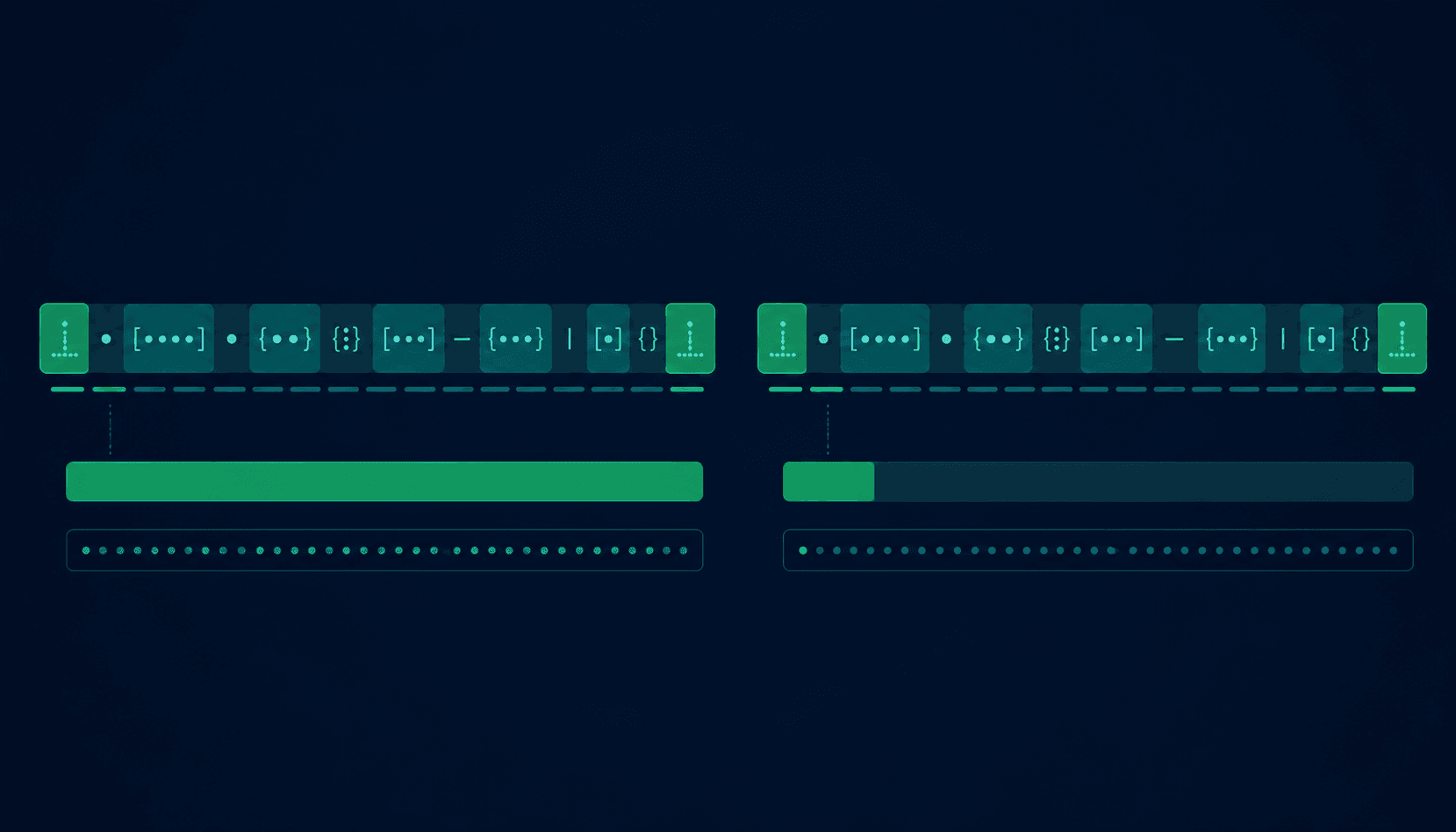
Anchors do not match characters -- they match positions in the string. They are zero-width assertions: they check context without consuming any characters from the input. Forgetting anchors is the single most common cause of patterns that “work in testing but fail in production” because the pattern matches a substring of invalid input.
| Anchor | Meaning | Example |
|---|---|---|
^ | Start of string | ^Hello matches "Hello world" but not "Say Hello" |
$ | End of string | world$ matches "Hello world" but not "world peace" |
\b | Word boundary | \bcat\b matches "cat" but not "catch" |
\B | Non-word boundary | \Bcat matches "concatenate" but not "cat" |
\A | Start of string (Python) | Same as ^ outside multiline mode |
\Z | End of string (Python) | Same as $ outside multiline mode |
(?=...) | Positive lookahead | (?=abc) asserts abc follows at this position |
(?!...) | Negative lookahead | (?!abc) asserts abc does NOT follow |
(?<=...) | Positive lookbehind (ES2018+) | (?<=@) asserts @ precedes at this position |
(?<!...) | Negative lookbehind | (?<!@) asserts @ does NOT precede |
Common regex mistakes
Unescaped dot
Writing .com to match a domain extension actually matches any character followed by com -- including xcom, _com, and 1com. Always escape the dot when you mean a literal period: \.com
Missing anchors
The pattern \d{5} matches any string containing five consecutive digits -- including 12345abc and id-99999-x. Use ^\d{5}$ to match only strings that are exactly five digits and nothing else.
Greedy over-matching
The pattern <.+> matches everything between the first < and the last > in a string, not just the first tag. Use lazy quantifiers (<.+?>) or negated classes (<[^>]+>) to limit the match.
Double-escaping backslashes
In most languages, \d in a string literal becomes just d before the regex engine sees it. You need \\d in a regular string or \d in a raw string (Python r'\d+', JavaScript /\d+/). Regex literals in JavaScript avoid this entirely.
Wrong flag for case-insensitivity
Forgetting the i flag and then writing [a-zA-Z] manually is not the same -- [a-z] with the i flag also matches accented variants in some engines. Use the i flag explicitly and test against your actual input.
Using regex for simple containment checks
If you just want to know whether a string contains the word error, str.includes('error') is faster, clearer, and correct. Reach for regex only when the pattern itself is variable or complex.
Regex performance problems
Most regex patterns run in microseconds. Two patterns can make them run for seconds or minutes: catastrophic backtracking and excessive quantifier nesting.
Catastrophic backtracking
When nested quantifiers like (a+)+ are used, the regex engine tries every possible way to split the matched characters between the outer and inner quantifiers before concluding a non-match. For a string of 20 characters that nearly-but-not-quite matches, this can mean millions of steps.
# Dangerous -- catastrophic backtracking risk on long input
(a+)+b

# Safer rewrite -- no backtracking for the same purpose
a+b

# Catastrophic in practice: matching "aaaaaaaaaaaaaaaaab" is fast,
# but "aaaaaaaaaaaaaaaaaX" (non-matching) causes millions of steps
Using verbose mode to document complex patterns
Python's re.VERBOSE flag (also written re.X) allows whitespace and comments inside a pattern. Use it for any pattern longer than 40 characters:
# Python: use re.VERBOSE (re.X) to document complex patterns
pattern = re.compile(r"""
    ^                       # Start of string
    [a-zA-Z0-9._%+\-]+    # Local part (before @)
    @                       # @ sign
    [a-zA-Z0-9.\-]+       # Domain name
    \.                     # Literal dot
    [a-zA-Z]{2,}           # TLD (com, io, org, etc.)
    $                       # End of string
""", re.VERBOSE)
Regex tester example
A regex tester lets you enter a pattern and test it against real input in your browser before deploying it. Use it to check multiple inputs at once: valid values, edge cases (empty string, single character, very long string), and intentionally invalid values that should not match.
For each pattern you write, test at minimum:
- •A valid value you expect to match
- •A value with all optional parts present
- •A value with all optional parts absent
- •An empty string
- •A value that is too long or too short
- •A value with a character that should not match
- •A value that is a substring of a valid value (tests whether anchors are correct)
Example: testing the email pattern
# Pattern: ^[a-zA-Z0-9._%+\-]+@[a-zA-Z0-9.\-]+\.[a-zA-Z]{2,}$

# VALID -- should match:
user@example.com          # match
john.doe+tag@company.io   # match
test123@sub.domain.co.uk  # match

# INVALID -- should NOT match:
@missing-local.com        # no match (no local part before @)
user@.com                 # no match (dot immediately before TLD)
user@com                  # no match (no dot before TLD)
user @example.com         # no match (space in local part)
(empty string)            # no match (empty input)
Vortenza's free regex tester runs entirely in your browser with no signup required. Test patterns against multiple inputs simultaneously and see match highlighting in real time.
When to use regex vs simpler alternatives
Regex is the right tool for the job in many situations, but it is not always the right tool. The decision framework below reduces the “should I use regex for this?” question to a few concrete checks.
Use regex when:
- ✓The pattern is variable or parameterized
- ✓You need to extract multiple capture groups at once
- ✓Case-insensitive matching is required across complex patterns
- ✓The format has defined structure but variable content (email, phone, date)
- ✓You are processing logs or structured text at scale
- ✓The task already requires consuming characters and checking position
Use string methods instead when:
- —You only need to check if a fixed string exists (.includes())
- —You need to check a fixed prefix (.startsWith())
- —You need to check a fixed suffix (.endsWith())
- —You are splitting on a fixed delimiter (.split(','))
- —You are parsing HTML, XML, or JSON (use a parser)
- —The task would read clearly as 2 lines of code without regex
“Regex should validate assumptions, not replace business logic.”
Regex vs string functions
Here are the most common tasks where developers debate between regex and built-in string methods, with a recommendation for each:
| Task | String method | Regex alternative |
|---|---|---|
| Exact substring check | str.includes("hello") | /hello/.test(str) |
| Starts with prefix | str.startsWith("http") | /^http/.test(str) |
| Ends with suffix | str.endsWith(".pdf") | /\.pdf$/.test(str) |
| Split on fixed delimiter | str.split(",") | str.split(/,\s*/) -- use regex for flexible split |
| Replace fixed string | str.replace("foo", "bar") | Use regex for pattern-based replacement |
| Case-insensitive match | str.toLowerCase().includes("x") | /x/i.test(str) |
| Count occurrences | (complex) | str.match(/pattern/g)?.length ?? 0 |
| Extract parts | str.slice(), str.indexOf() | Use capture groups: str.match(/(w+)@(w+)/) |
Regex engine differences cheat sheet
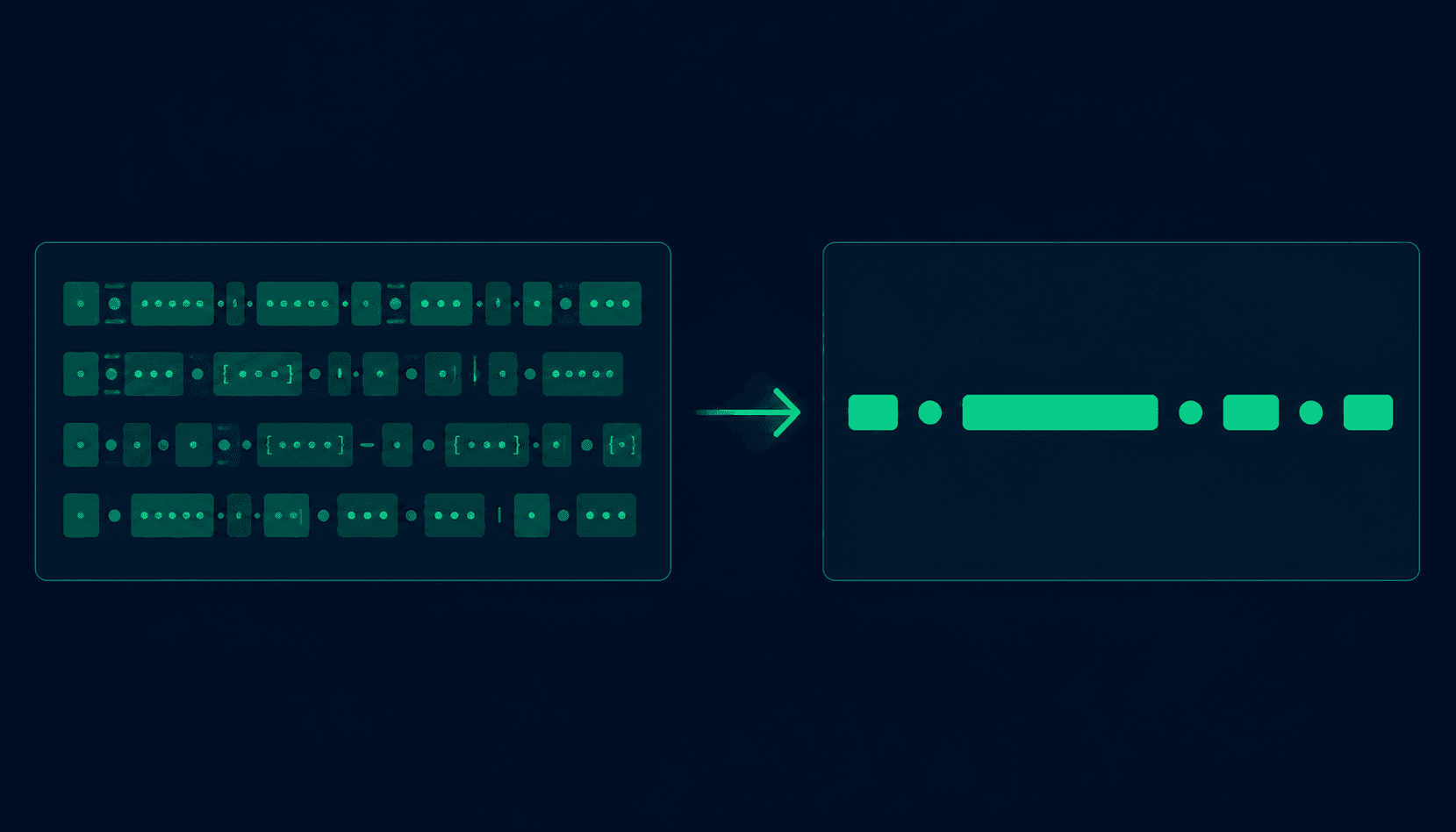
The same regex pattern does not always behave the same way across languages. The table below highlights the most important differences that affect real code.
| Feature | JavaScript | Python (re) | Go (regexp) | Java / .NET |
|---|---|---|---|---|
| Lookahead (?=...) | Yes | Yes | No (RE2) | Yes |
| Lookbehind (?<=...) | Yes (ES2018+) | Yes | No (RE2) | Fixed-width only |
| Backreferences (\1) | Yes | Yes | No (RE2) | Yes |
| Named groups | (?<name>...) | (?P<name>...) | (?P<name>...) | (?<name>...) |
| Unicode props (\p{L}) | Yes (/u flag) | regex module only | No | Yes |
| Possessive quantifiers | No | No | N/A | Yes |
| Atomic groups (?>...) | No | No | N/A | Yes |
Go uses the RE2 engine, which guarantees linear-time matching but does not support backreferences or lookahead. If you are porting a pattern from Python or JavaScript to Go, any pattern using \1, (?=...), or (?<=...) will need to be rewritten.
POSIX vs PCRE
There are two main regex standard families. POSIX regex (used in traditional Unix tools like grep and awk without extensions) defines a strict subset of features. PCRE (Perl Compatible Regular Expressions) is the superset used by PHP, PostgreSQL, Python, JavaScript, Java, and most modern languages. The patterns in this guide use PCRE syntax. If you are targeting POSIX tools, check that named groups (?P<name>...) and lookaheads (?=...) are supported -- they are absent from the POSIX standard and require the PCRE-extended or ERE mode of those tools (typically enabled with the -P or -E flag).
Regex in Python and JavaScript
Python and JavaScript handle regex differently at the API level even though the core pattern syntax is nearly identical. Here are the key differences that affect everyday usage.
Python (re module)
import re

# search() scans entire string; match() only checks start
m = re.search(r'\d+', 'User 42')
m.group()              # '42'

# fullmatch() requires whole string to match
email = re.compile(
    r'^[a-zA-Z0-9._%+\-]+@'
    r'[a-zA-Z0-9.\-]+\.[a-zA-Z]{2,}$'
)
email.fullmatch('u@ex.com')  # match

# Named groups (Python syntax: ?P<name>)
d = re.search(r'(?P<yr>\d{4})-(?P<mo>\d{2})', '2026-06')
d.group('yr')          # '2026'
JavaScript
// Regex literal avoids string-escaping backslashes
const email = /^[a-zA-Z0-9._%+\-]+@[a-zA-Z0-9.\-]+\.[a-zA-Z]{2,}$/;
email.test('u@ex.com');       // true

// g flag returns all matches
'a1 b2 c3'.match(/\d/g);    // ['1', '2', '3']

// Named groups (ES2018+, syntax: ?<name>)
const { yr, mo } = '2026-06'
.match(/(?<yr>\d{4})-(?<mo>\d{2})/).groups;- •Python: re.match() only checks the start; re.search() scans the whole string; re.fullmatch() requires a complete match
- •Python: prefix pattern strings with r (raw string) to avoid double-escaping -- r'\\d+' is cleaner than '\\\\d+'
- •JavaScript: regex literals (/pattern/flags) avoid string-escaping entirely and are the idiomatic choice
- •JavaScript: String.prototype.matchAll() (ES2020) returns an iterator of all matches including capture groups
- •Named groups: Python uses (?P<name>...) and match.group('name'); JavaScript uses (?<name>...) and match.groups.name
Regex best practices
Always anchor validation patterns
Add ^ at the start and $ at the end of any pattern used for validation. Without anchors, the pattern matches anywhere in the string and will accept invalid inputs that merely contain a valid substring.
Use raw strings in Python
Prefix Python regex strings with r to avoid double-escaping. r'\d+' is equivalent to '\\d+' but far easier to read and maintain. JavaScript regex literals (/\d+/) avoid the issue entirely.
Document complex patterns with verbose mode
Any pattern longer than 40 characters should use Python re.VERBOSE or be broken into named variables with comments. Six months later, neither you nor your colleagues will remember what the third alternation group does.
Test against adversarial input
For user-facing or security-sensitive patterns, test with long strings of near-matching characters to check for catastrophic backtracking. A string like 'aaaaaaaaaaaaaaaaaab' (many a characters followed by a non-matching character) is a classic backtracking stress test.
Prefer named capture groups over positional ones
Replace /(\d{4})-(\d{2})-(\d{2})/ with /(?<year>\d{4})-(?<month>\d{2})-(?<day>\d{2})/ so that adding or reordering groups later does not break downstream code.
Compile patterns you use more than once
In Python, re.compile() the pattern once and reuse the compiled object. In JavaScript, assign the regex literal to a const. Compilation cost is small but adds up when matching inside a loop over thousands of inputs.
One-minute regex audit
Run through this checklist before shipping any regex pattern to production:
Quick regex answers
What is regex?
Regex (regular expression) is a sequence of characters that defines a search pattern used to match, search, validate, or extract text. Regex is supported in most programming languages, text editors, command-line tools, and database engines. It is most commonly used for form validation, log analysis, and text processing.
What does ^ mean in regex?
^ is an anchor that matches the start of a string. In the pattern ^Hello, the caret asserts that Hello must appear at the very beginning of the string. In multiline mode (the m flag), ^ matches the start of each line.
What does $ mean in regex?
$ is an anchor that matches the end of a string. In the pattern world$, the dollar sign asserts that world must appear at the very end. In multiline mode, $ matches the end of each line. Together, ^pattern$ anchors the match to the full string.
What does \d mean in regex?
\d is a shorthand character class that matches any single digit from 0 to 9. It is equivalent to [0-9]. Its opposite, \D, matches any character that is not a digit.
What does \w mean in regex?
\w matches any word character: ASCII letters (a-z, A-Z), digits (0-9), and the underscore (_). It is equivalent to [a-zA-Z0-9_]. It does not match Unicode letters (like accented characters or Chinese) unless a Unicode flag is enabled. Its opposite, \W, matches any non-word character.
What is a capture group in regex?
A capture group, written as (...), groups part of the pattern and captures the text it matches for later use. In the pattern (\d{4})-(\d{2})-(\d{2}), the three groups capture year, month, and day separately. Use (?:...) for a non-capturing group when you need grouping but not the captured value.
What is the difference between * and + in regex?
Both * and + are quantifiers. * means zero or more: it matches if the element appears any number of times, including zero. + means one or more: it requires the element to appear at least once. For the pattern ab*, the string a is a match. For ab+, the string a is not a match.
How do I make regex case-insensitive?
Add the i flag to your regex. In JavaScript: /pattern/i. In Python: re.compile(pattern, re.IGNORECASE) or re.compile(pattern, re.I). In Java: Pattern.compile(pattern, Pattern.CASE_INSENSITIVE). The i flag makes letters match both upper and lower case.
How do I match a literal dot in regex?
Escape the dot with a backslash: \. matches a literal period. Without the backslash, . matches any character except a newline. This is one of the most common regex mistakes: writing .com to match .com but accidentally matching xcom, _com, etc.
Can regex parse HTML?
Regex can match simple HTML patterns, but it cannot parse HTML reliably. HTML is not a regular language -- it can be nested arbitrarily deeply, self-closing tags have special rules, and attributes can appear in any order. Use a proper HTML parser (like BeautifulSoup in Python or DOMParser in JavaScript) for any real HTML parsing task.
What is the g flag in JavaScript regex?
The g (global) flag tells the JavaScript regex engine to find all matches in a string, not just the first one. str.match(/pattern/g) returns an array of all matches. Without g, match() returns only the first match. The g flag also affects how test() and exec() behave with stateful lastIndex tracking.
How do I match a newline in regex?
By default, the dot (.) does not match newline characters. To match newlines, use the s flag (dotall mode): /pattern/s in JavaScript, re.compile(pattern, re.DOTALL) in Python. Alternatively, use [\s\S] which explicitly matches any whitespace or non-whitespace -- a common workaround for engines without dotall mode.
Frequently asked questions
What is regex and where is it used?+
Regex (regular expression) is a pattern specification language for matching and manipulating text. It is built into most programming languages (JavaScript, Python, Java, Go, PHP, Ruby), text editors (VS Code, Vim, Sublime Text), command-line tools (grep, sed, awk), and databases (PostgreSQL, MySQL, SQLite). Common uses: form validation (email, phone, ZIP code), data extraction from logs and files, search and replace in code editors, URL routing in web frameworks, and log analysis.
How do I validate email addresses with regex?+
Use ^[a-zA-Z0-9._%+\-]+@[a-zA-Z0-9.\-]+\.[a-zA-Z]{2,}$ for most real email addresses. It requires valid characters before @, a domain, a dot, and at least two TLD letters. For production, supplement with a delivery confirmation or specialized library. Regex is a good first filter but cannot confirm whether the mailbox actually exists.
Why is my regex not matching what I expect?+
Most common causes: missing anchors (^ and $ to match full string), unescaped metacharacters (. matches any character, not a literal dot -- write \. instead), wrong flags (regex is case-sensitive by default), or greedy quantifiers matching too much. Test in a regex tester with your specific input to identify which case is failing.
What is greedy matching and when is it a problem?+
Greedy matching means quantifiers consume as many characters as possible before checking the rest of the pattern. The pattern <.+> applied to <b>bold</b> matches the entire string rather than just <b>. Fix: use lazy quantifiers (+?, *?) or negated character classes ([^>]+) to limit how much the quantifier consumes.
What is catastrophic backtracking?+
Catastrophic backtracking occurs when a regex engine tries exponentially many matching combinations before determining a non-match. It is triggered by nested or overlapping quantifiers like (a+)+b and can make a 20-character string cause millions of iterations. Prevention: avoid nested quantifiers, restructure patterns to eliminate ambiguity, and test against adversarial input (long strings of repeated chars followed by a non-matching character).
How do lookaheads work in regex?+
A lookahead (?=...) is a zero-width assertion that checks whether a pattern matches at the current position without consuming characters. Positive lookahead (?=abc) asserts that abc follows. Negative lookahead (?!abc) asserts it does not. They are used to impose multiple conditions on the same string -- the password validation pattern uses four lookaheads in sequence for this reason.
What flags are available in regex?+
Common flags: i (case-insensitive), g (global, find all matches -- JavaScript), m (multiline, ^ and $ match line boundaries), s (dotall, . matches newlines), x (verbose, allow whitespace and comments -- Python re.X), u (Unicode matching -- JavaScript). Syntax varies: JavaScript uses /pattern/flags, Python uses re.compile(pattern, re.IGNORECASE).
How do I test a regex pattern?+
Use a regex tester -- enter your pattern and test it against multiple inputs including valid cases, edge cases, invalid cases, and empty strings. Also test in your actual programming language since behavior varies between engines. For security-sensitive contexts, test with adversarial input to check for catastrophic backtracking: try a long string of repeated matching characters followed by a character that cannot match.
What is the difference between match() and search() in Python?+
re.match() only matches at the beginning of the string. re.search() scans the entire string and returns the first match anywhere. re.match(r'\d+', 'hello 123') returns None. re.search(r'\d+', 'hello 123') returns a match object. Use re.fullmatch() to require a match of the entire string.
When should I NOT use regex?+
Avoid regex for parsing HTML or XML (use a proper parser), parsing JSON (use a JSON library), and parsing complex structured data formats. Also avoid it when simple string methods handle the task more clearly: .includes(), .startsWith(), .split(). Regex should validate assumptions, not replace business logic.
How do named capture groups work?+
Named capture groups assign a label to a group for easier reference. Python uses (?P<name>...) syntax; access with match.group('name'). JavaScript uses (?<name>...) syntax; access with match.groups.name. Named groups make complex patterns with many capture groups much more readable and easier to maintain across refactors.
What regex engine differences should I know about?+
JavaScript added lookbehind support in ES2018 -- it was not available in Node 8 or older browsers. Go's regexp package uses RE2 syntax, which has no backreferences or lookahead. .NET supports possessive quantifiers and atomic groups for performance. Python's re module differs from the third-party regex module for complex Unicode patterns. Always test patterns in the actual engine you will use in production.
How do I match multiline strings with regex?+
Enable the s flag (dotall -- makes . match newlines) and/or the m flag (multiline -- makes ^ and $ match line boundaries). In Python: re.compile(pattern, re.DOTALL | re.MULTILINE). In JavaScript: /pattern/sm. Without dotall mode, use [\s\S]+ as a portable pattern that matches anything including newlines.
How do I escape special characters in regex?+
Prefix any metacharacter with \ to match it literally. The special characters are: . * + ? ( ) [ ] { } ^ $ | \ /. Python provides re.escape(string) which escapes all metacharacters automatically. Java provides Pattern.quote(string) for the same purpose. In Python source code, use raw strings (r'pattern') to avoid double-escaping backslashes.
Is there a difference between single-quoted and double-quoted regex patterns?+
The quote style does not affect the regex itself, but affects how the programming language processes backslashes in the string literal. In Python, r'\d+' (raw string) passes \d+ to the regex engine correctly. Without the r prefix, you would need to write '\\d+'. In JavaScript, regex literals (/\d+/) avoid this entirely since the slashes delimit the pattern directly.
Should I use regex to validate email addresses in production?+
Regex is a good first filter -- it rejects obvious non-emails like missing @ or no TLD. But regex alone cannot verify whether the mailbox exists, whether the domain accepts mail, or whether the address belongs to a real person. For production: use a pragmatic regex to reject obvious nonsense, then confirm deliverability with an actual send or a dedicated email validation API.
About this guide
Published by the Vortenza Editorial Team on . Pattern syntax verified against PCRE2 (used by PHP, PostgreSQL), JavaScript (V8 engine, Node.js 20+), Python 3.12 re module, Go 1.22 regexp package, and Java 21 java.util.regex.
Engine differences sourced from MDN Web Docs, respective language documentation, and the RE2 syntax reference. Email syntax based on RFC 5321. URL syntax based on RFC 3986.
Catastrophic backtracking examples based on documented ReDoS attack patterns (OWASP).
Tools used in this guide
Regex Tester
Test regex patterns against multiple inputs in your browser. No signup, no data sent to a server.
JSON Formatter
Validate and format JSON data. Useful when writing regex to extract fields from JSON logs.
Base64 Encoder
Encode and decode Base64 strings that often appear in JWT tokens and API logs.