
Base64 encoding explained: encode, decode and common uses (2026)

The most common Base64 mistake is treating it like encryption.
A developer sees a long string of letters, numbers, and equals signs. It looks scrambled. It looks like something was done to it to make it unreadable. They assume it is protected. They are wrong.
Base64 makes data portable, not secure. Anyone who can decode Base64 can read its contents -- and decoding it takes one function call in any programming language. Encoding changes representation, not confidentiality. The data is just as readable as it was before encoding; it is simply expressed in a different character set that works across text-based systems.
Understanding what Base64 actually does, and what it does not do, prevents a specific category of security mistake that shows up in bug bounty reports more often than it should.
Direct answer
Base64 is a binary-to-text encoding scheme that converts binary data into 64 printable ASCII characters so it can travel safely through text-only systems. It is fully reversible with no key. It provides zero confidentiality. The primary use is compatibility, not security.
Key takeaways
- ✓Base64 is an encoding scheme, not encryption -- it converts binary data to text characters but provides zero confidentiality
- ✓Base64 makes data portable, not secure; anyone can decode it without a key
- ✓The primary purpose of Base64 is compatibility: making binary data safe to transmit over text-only protocols (email, JSON, HTTP headers)
- ✓Encoding changes representation, not confidentiality -- the underlying data is identical before and after, just expressed differently
- ✓Base64 adds approximately 33% to the size of encoded data, which matters for large files or high-frequency API calls
- ✓JWT tokens use Base64url encoding (a URL-safe variant) for the header and payload -- they are signed, not encrypted
- ✓The = padding characters at the end of Base64 strings are alignment characters that make the output length a multiple of 4
- ✓Sensitive data in Base64 format must still be encrypted with a proper encryption algorithm before transmission or storage
Base64 quick reference
| Question | Answer |
|---|---|
| Is Base64 encryption? | No |
| Is Base64 reversible? | Yes |
| Requires a key? | No |
| Main purpose | Binary-to-text encoding |
| Security benefit | None |
| Common uses | JWTs, APIs, email attachments |
On this page
- 1.Base64 quick reference
- 2.Base64 quick answer
- 3.What is Base64?
- 4.Why was Base64 created?
- 5.How Base64 encoding works
- 6.Base64 character set explained
- 7.Real example 1: encode "Hello World"
- 8.Real example 2: Base64 in APIs
- 9.Real example 3: Base64 in JWT tokens
- 10.Base64 vs encryption
- 11.Base64 vs hashing
- 12.Common uses of Base64
- 13.Common Base64 mistakes
- 14.Is Base64 secure?
- 15.Base64 encoder/decoder example
- 16.Base64 performance considerations
- 17.Base64 best practices
- 18.One-minute Base64 audit
- 19.Quick Base64 answers
- 20.Frequently asked questions
- 21.Final verdict
- 22.Tools used in this guide
- 23.Related guides

Base64 quick answer
Direct answer: Base64 is a binary-to-text encoding scheme that converts binary data (images, files, binary strings) into ASCII characters that can be safely transmitted over text-only systems. It is reversible without any key.
| Term | Meaning |
|---|---|
| Encoding | Converting data from one format to another (reversible, no key needed) |
| Decoding | Converting encoded data back to its original format (reversible, no key needed) |
| Base64 | A specific encoding that uses 64 printable ASCII characters to represent binary data |
| Binary data | Data stored as sequences of 0s and 1s -- images, files, compressed content |
| ASCII text | Printable characters (letters, numbers, punctuation) safe for text-based transmission |
| Base64url | A URL-safe variant replacing + with - and / with _, used in JWTs and URLs |
What is Base64?
Direct answer: Base64 is a binary-to-text encoding method that converts any binary data into a sequence of 64 printable ASCII characters. It is defined in RFC 4648 and is widely used to transmit binary content through systems that only support text.
The name comes from the character set: Base64 uses 64 distinct characters (A-Z, a-z, 0-9, +, /) to represent any binary data. Every three bytes of input becomes four Base64 characters of output.
Base64 is NOT:
- ✗Encryption (it provides no confidentiality)
- ✗Hashing (it is fully reversible)
- ✗Compression (it increases data size by about 33%)
Base64 IS:
- ✓A representation change (same data, different format)
- ✓A compatibility tool (makes binary data safe for text-based systems)
- ✓Universal (supported in every modern programming language)
Why was Base64 created?
Direct answer: Base64 was created to solve a specific compatibility problem: early email systems and text-based protocols could only transmit ASCII text, which meant binary attachments (images, documents, programs) could not be sent directly.
In the early days of the internet, many systems treated text and binary data as fundamentally incompatible. Email systems built on SMTP, for example, were designed for plain text. When someone wanted to attach an image to an email, there was no mechanism to include raw binary data in a text-only message without corrupting it.
Certain bytes in binary data have values that text-based systems interpreted as control characters rather than data. A byte with the value 13 is a carriage return. A byte with the value 10 is a newline. A byte with the value 0 is a null terminator. Binary files routinely contain these byte values in meaningful positions. When an email system encountered them, it treated them as formatting commands and garbled the binary content.
Base64 solved this by converting all binary data into a subset of printable ASCII characters that have no special meaning in text-based protocols. The result is longer than the original, but it transmits cleanly through any system that handles text.
This problem is less acute today -- modern protocols like HTTP/2 and HTTP/3 are binary-safe. But Base64 persists because it is now deeply embedded in web standards, email formats, JWT tokens, and API design patterns. The format is now so universal that using it remains conventional even in contexts where it is not strictly necessary.
How Base64 encoding works
Direct answer: Base64 takes binary data in groups of 3 bytes (24 bits), splits each group into four 6-bit chunks, maps each 6-bit chunk to one of 64 characters, and outputs those characters. Three bytes in always becomes four characters out.
Step 1: Convert input to binary
Take the input. Each character in a text string has a decimal value (ASCII code). Convert each character to its 8-bit binary representation. The letter M has ASCII value 77, which is 01001101 in binary.
Step 2: Group into 24-bit chunks (3 bytes each)
Take three bytes at a time. Three bytes = 24 bits = four groups of 6 bits.
Step 3: Split into 6-bit chunks
24 bits divided into four 6-bit segments gives four values between 0 and 63.
Step 4: Map each 6-bit value to a Base64 character
Each of the 64 possible 6-bit values maps to one character from the Base64 alphabet (A=0, B=1, ... Z=25, a=26, ... z=51, 0=52, ... 9=61, +=62, /=63).
Step 5: Handle padding
If the input length is not divisible by 3, padding (=) is added to make the output length a multiple of 4. The process is fully reversible: decode by reading each Base64 character's index value, reassembling 6-bit chunks into 8-bit bytes.

Base64 character set explained
Direct answer: Base64 uses 64 printable ASCII characters plus one padding character. The character set was chosen to avoid characters that text-based systems might interpret as control sequences.
| Index range | Characters | Count |
|---|---|---|
0-25 | A-Z (uppercase letters) | 26 |
26-51 | a-z (lowercase letters) | 26 |
52-61 | 0-9 (digits) | 10 |
62 | + (plus sign) | 1 |
63 | / (forward slash) | 1 |
Padding | = (equals sign) | Not a data character |
Total: 64 data characters + 1 padding character. These characters are present in every ASCII-compatible encoding and are safe to transmit through any text-based system.
The padding character =
Since three input bytes map to four output characters, what happens when the input is not a multiple of 3? Base64 uses = as padding:
- Input length divisible by 3: no padding
- Input length leaves 2 remaining bytes: one = added
- Input length leaves 1 remaining byte: two == added
Base64url variant
Standard Base64 uses + and /. In URLs and filenames, these have special meaning: + is interpreted as a space in query strings, / delimits URL path segments. Base64url replaces + with - and / with _, and typically omits padding. This variant is used in JWT tokens, URL-safe data encoding, and many modern APIs.
Real example 1: encode “Hello World”
Input text: Hello World
ASCII bytes:
H=72 e=101 l=108 l=108 o=111 =32 W=87 o=111 r=114 l=108 d=1003-byte groups encoded:
Hel → SGVs lo → bG8g Wor → V29y ld → bGQ=Result:
SGVsbG8gV29ybGQ=Decode back: SGVsbG8gV29ybGQ= → Hello World
Every Base64 tool -- in your browser console, Python, Node.js, Go, anywhere -- produces this identical result. The encoding is deterministic and standard.
In code:
// Browser JavaScript
btoa('Hello World')  // "SGVsbG8gV29ybGQ="

// Node.js
Buffer.from('Hello World').toString('base64')
// "SGVsbG8gV29ybGQ="
Browser: btoa() and atob() (MDN Web Docs). Node.js: Buffer API docs.
Real example 2: Base64 in APIs
Direct answer: APIs use Base64 to transmit binary data (images, files, PDFs) through JSON, to encode authentication credentials in HTTP headers, and to represent binary fields in text-based response formats.
HTTP Basic Authentication
The most common API use of Base64 is HTTP Basic Auth (RFC 7617). The authorization header value is username:password encoded as Base64:
# Credentials: user@example.com:mypassword123
# base64("user@example.com:mypassword123")
# => dXNlckBleGFtcGxlLmNvbTpteXBhc3N3b3JkMTIz

Authorization: Basic dXNlckBleGFtcGxlLmNvbTpteXBhc3N3b3JkMTIz

# Decode instantly -- no key needed:
# atob("dXNlckBleGFtcGxlLmNvbTpteXBhc3N3b3JkMTIz")
# => "user@example.com:mypassword123"
Security note
The credentials are not encrypted. Anyone who can see the HTTP request headers can decode the Base64 string and read the username and password immediately. HTTP Basic Auth is only safe over HTTPS, where TLS encrypts the entire request including headers.
Image uploads in JSON APIs
When an API needs to accept an image in a JSON request body, Base64 is the standard approach:
{
  "filename": "profile.jpg",
  "content_type": "image/jpeg",
  "data": "data:image/jpeg;base64,/9j/4AAQSkZJRgABAQAA..."
}
The data:image/jpeg;base64, prefix is a data URL -- a convention for embedding binary data directly in a text field. The browser and many APIs understand this format natively.
Real example 3: Base64 in JWT tokens
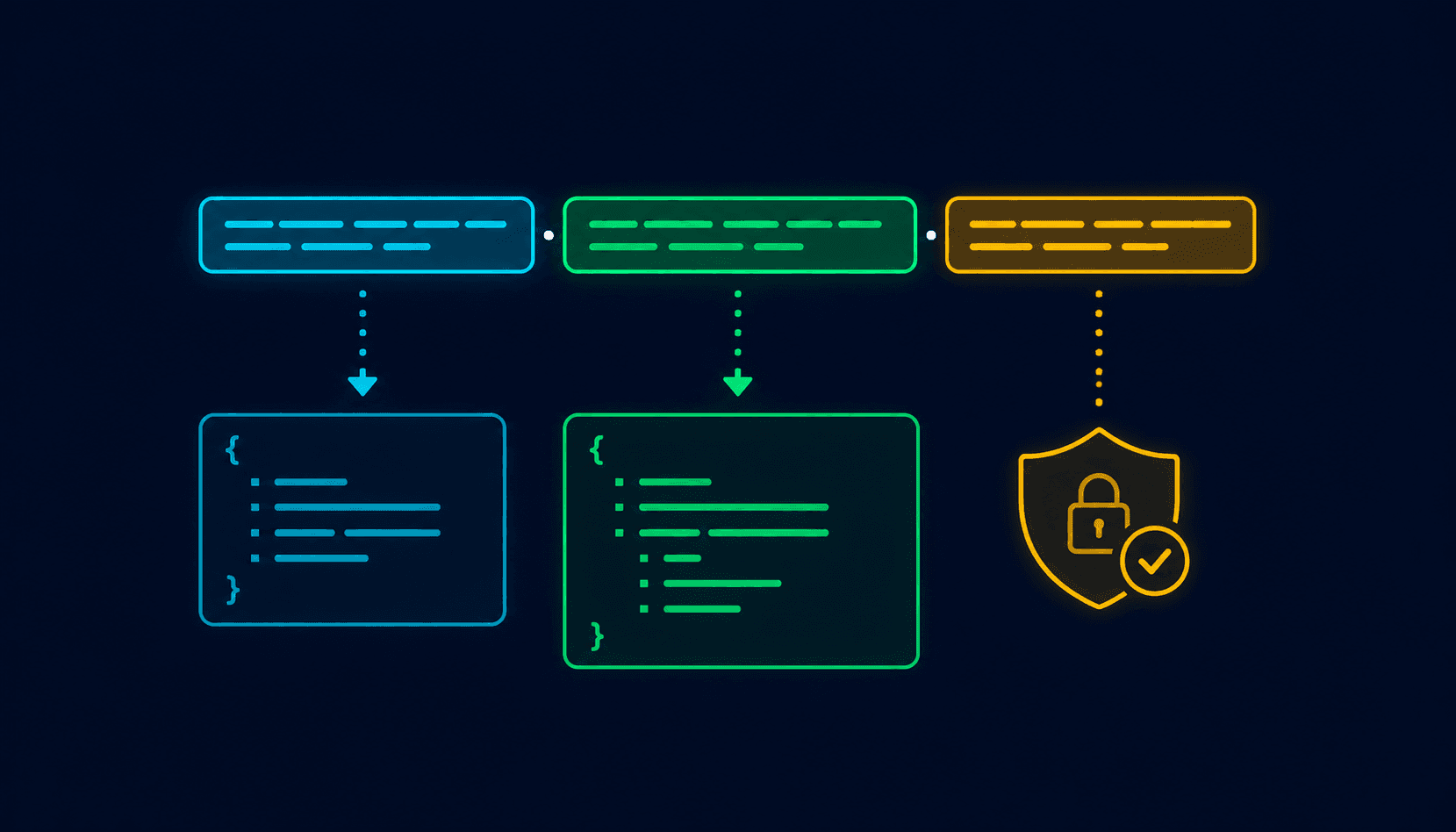
Direct answer: JWT tokens use Base64url encoding (a URL-safe variant of Base64) for the header and payload sections. The signature is also Base64url-encoded but is cryptographically generated, not just encoded data.
A JWT looks like three Base64url-encoded strings separated by dots:
eyJhbGciOiJIUzI1NiIsInR5cCI6IkpXVCJ9
.eyJzdWIiOiJ1c2VyXzEyMyIsImV4cCI6MTc1MDAwMDAwMH0
.SflKxwRJSMeKKF2QT4fwpMeJf36POk6yJV_adQssw5c

# Header (Base64url decode):
# {"alg":"HS256","typ":"JWT"}

# Payload (Base64url decode):
# {"sub":"user_123","exp":1750000000}

# Signature: cryptographic hash -- readable but not forgeable
# without the secret key.
Critical implication
The header and payload of a JWT are public data. Do not put sensitive information (passwords, credit card numbers, private keys) in a JWT payload. The Base64url encoding makes the payload compact and URL-safe, but it does not protect the content. See the JWT tokens explained guide for more on decoding and verifying JWTs safely.
When should you use Base64?
Use Base64 when:
- ✓Binary data must travel through text-only systems
- ✓JSON cannot carry binary content natively
- ✓JWT structures need compact, URL-safe encoding
- ✓Embedding images or fonts in HTML/CSS data URLs
- ✓Transmitting binary keys or certificates in config files
Do not use Base64 when:
- ✗Data must remain confidential (use encryption)
- ✗Passwords are being stored (use bcrypt/argon2)
- ✗API keys need protection (use HTTPS + secrets manager)
- ✗The transport protocol is already binary-safe (HTTP/2)
- ✗Large files are transferred (use multipart/form-data)
Rule: if confidentiality matters, use encryption first. Base64 encodes after encryption; it does not replace it.
Base64 vs encryption
Direct answer: Base64 and encryption are fundamentally different tools. Base64 changes how data looks. Encryption makes data unreadable without the correct key. Using Base64 where encryption is needed is a security vulnerability.
| Feature | Base64 | Encryption (e.g., AES-256) |
|---|---|---|
| Purpose | Make binary data text-safe for transport | Make data unreadable without a key |
| Reversibility | Fully reversible, no key needed | Reversible only with the correct key |
| Security | None -- provides zero confidentiality | High -- infeasible to reverse without key |
| Key required | No | Yes (symmetric or asymmetric key) |
| Output size | ~33% larger than input | Similar to input (depends on mode) |
| Speed | Extremely fast | Fast (hardware-accelerated on most systems) |
| Use for secrets | Never | Yes |
| Use for binary-to-text | Yes | Not typically |
| Detectable | Yes -- easy to identify as Base64 | Ciphertext looks like random bytes |
The practical confusion
Base64 output looks scrambled to the human eye. Long strings of random-looking characters feel protected. This visual similarity to encrypted data causes developers to assume they have protected something when they have only encoded it. An example: storing a user's API key as c2VjcmV0YXBpa2V5MTIz in a database. This looks opaque. Decode it and you get secretapikey123immediately. The “encoding” provided exactly zero protection.
Base64 vs hashing
Direct answer: Base64 encodes data reversibly. Hashing is a one-way operation that produces a fixed-size fingerprint. They serve completely different purposes and should not be confused or substituted for each other.
| Feature | Base64 | Hashing (e.g., SHA-256, bcrypt) |
|---|---|---|
| Reversibility | Fully reversible | One-way -- input cannot be recovered from hash |
| Output size | Larger than input (~33% overhead) | Fixed size regardless of input length |
| Purpose | Transport binary as text | Verify integrity, store passwords securely |
| Same input, same output | Yes | Yes (for cryptographic hashes) |
| Security | None | High (for password hashing with bcrypt/argon2) |
| Key required | No | No (but salting is required for passwords) |
| Use for passwords | Never | Yes (use bcrypt or argon2) |
| Use for file integrity | No | Yes (SHA-256 checksums) |
Password storage
Storing passwords as Base64 is as insecure as storing them in plain text -- Base64 decoding them reveals the original password immediately. Storing passwords as MD5 or SHA-256 hashes is better but still vulnerable to rainbow table attacks without salting. The correct approach for password storage is a slow hashing algorithm with salting: bcrypt, scrypt, or argon2.
Common uses of Base64
| Use case | Why Base64 | Notes |
|---|---|---|
| Email attachments (MIME) | Email was originally text-only; MIME uses Base64 for binary attachments | Standard since RFC 2045 (1996) |
| JWT tokens (header + payload) | JWTs use Base64url for compact, URL-safe token representation | Header and payload are readable; only signature is secure |
| HTTP Basic Auth | Encodes username:password as a header value | Safe only over HTTPS; the encoding provides no security |
| Data URLs | Embeds binary files (images, fonts) directly in HTML/CSS | data:image/png;base64,... |
| API file upload (JSON) | JSON cannot represent binary; Base64 makes it possible | 33% size overhead vs multipart/form-data |
| Configuration storage | Config files sometimes store binary keys or certs as Base64 strings | Do not confuse with actual security |
| Binary fields in JSON APIs | Cryptographic keys, hashes, binary IDs returned as text | Standard practice for binary-in-JSON |
| CSS inline images | Small icons embedded directly in stylesheet | Reduces HTTP requests at the cost of file size |
| Binary to clipboard | Copying binary content (keys, certificates) for pasting | Humans cannot paste raw binary |
Common Base64 mistakes
Treating Base64 as encryption
Base64 does not protect data; it only changes its representation. Anything sensitive in Base64 format can be decoded in seconds. If data needs protection, use encryption (AES-256, RSA) -- not encoding.
Storing secrets without actual encryption
Storing API keys, passwords, or tokens as Base64 provides no protection. A configuration file containing an encoded key is as insecure as one containing the key in plain text.
Encoding already-encoded data
Double-encoding (applying Base64 twice) is a common API integration bug. Always decode once with a tool to verify you have the right encoding layer before building on top of it.
Incorrect padding
Base64 strings must be a length divisible by 4 (with = padding if needed). Stripping = characters without proper handling causes decoding errors. Base64url omits padding by design; standard Base64 requires it.
Using Base64 for data that does not need it
Base64 adds 33% overhead to every encoded value. Encoding plain ASCII text that will be transmitted over HTTP/2 (which is binary-safe) is unnecessary overhead.
Confusing Base64url with Base64
Standard Base64 uses + and /; Base64url uses - and _. JWT libraries use Base64url; passing a JWT segment through a standard Base64 decoder may fail or produce incorrect output for strings containing - or _.
Is Base64 secure?
Direct answer: No. Base64 provides zero security. It is an encoding, not encryption. Anyone with the encoded data can decode it instantly with no key.
What Base64 protects against: nothing. What Base64 is designed for: transmitting binary data through text-only systems safely and universally.
The specific scenarios where this misconception causes real damage:
Credentials in logs
An API logging system logs the Authorization: Basic header. A developer reviewing logs "cannot read" the password because it looks encoded. Another developer decodes it in 5 seconds. Credentials were effectively logged in plain text.
Configuration files in version control
A developer commits a config file with Base64-encoded database credentials, thinking the encoding makes it safe to include in version control. It does not. Automated secret-scanning tools flag Base64 patterns.
Client-side "obfuscation"
A web application encodes a secret key as Base64 before embedding it in client-side JavaScript, assuming users cannot read it. Any user who opens browser DevTools can decode it in one step.
Proper security alternatives: TLS for data in transit, AES-256 or similar for data at rest, bcrypt/argon2 for passwords, key management services (AWS KMS, HashiCorp Vault) for secret storage.
Base64 encoder/decoder example
Every programming language has Base64 in its standard library. Here are the most commonly used implementations:
JavaScript / Node.js
// Browser JavaScript
btoa('Hello World')           // "SGVsbG8gV29ybGQ="
atob('SGVsbG8gV29ybGQ=')     // "Hello World"

// Node.js
Buffer.from('Hello World').toString('base64')
// "SGVsbG8gV29ybGQ="
Buffer.from('SGVsbG8gV29ybGQ=', 'base64').toString('utf8')
// "Hello World"
Browser: btoa() and atob() (MDN). Node.js: Buffer API.
Python
import base64

base64.b64encode(b'Hello World')
# b'SGVsbG8gV29ybGQ='

base64.b64decode('SGVsbG8gV29ybGQ=')
# b'Hello World'

# Base64url (for JWTs)
base64.urlsafe_b64decode('SGVsbG8gV29ybGQ=')
Python: base64 module docs.
Terminal (macOS / Linux)
echo -n "Hello World" | base64      # Encode
# SGVsbG8gV29ybGQ=

echo "SGVsbG8gV29ybGQ=" | base64 -d  # Decode
# Hello World
Go
package main

import (
    "encoding/base64"
    "fmt"
)

func main() {
    encoded := base64.StdEncoding.EncodeToString([]byte("Hello World"))
    fmt.Println(encoded) // SGVsbG8gV29ybGQ=

    decoded, _ := base64.StdEncoding.DecodeString("SGVsbG8gV29ybGQ=")
    fmt.Println(string(decoded)) // Hello World

    // Base64url (for JWTs)
    urlEncoded := base64.URLEncoding.EncodeToString([]byte("Hello World"))
    fmt.Println(urlEncoded) // SGVsbG8gV29ybGQ=
}Fixing Base64url padding before decoding (Python)
# Base64url strings often omit padding
s = 'SGVsbG8gV29ybGQ'          # missing trailing =
s += '=' * (-len(s) % 4)        # adds correct padding
base64.b64decode(s)              # now decodes correctly
For debugging outside of code -- inspecting a JWT payload, verifying an API response, checking what a config value decodes to -- use the Vortenza Base64 Encoder/Decoder. Paste the Base64 string, decode it, and see immediately what the value contains. The reverse (encode arbitrary text) is useful for constructing test request headers or preparing data for API calls.
Base64 performance considerations
Direct answer: Base64 encoding adds approximately 33% to the size of any encoded data. This matters for large files, high-frequency API calls, and storage at scale.
Three bytes of input become four characters of output. Four characters in standard ASCII are 4 bytes. So 3 bytes in becomes 4 bytes out -- an overhead of 33.33% (4/3 - 1). 1 KB of binary data becomes approximately 1.33 KB when Base64-encoded.
| Original size | Base64 size | Overhead |
|---|---|---|
| 1 KB | ~1.33 KB | +333 bytes |
| 1 MB | ~1.33 MB | +333 KB |
| 10 MB image | ~13.3 MB | +3.3 MB |
| 100 MB file | ~133 MB | +33 MB |
When overhead matters:
- •Large file uploads in JSON payloads (use multipart/form-data instead)
- •High-frequency small payloads in IoT or telemetry systems
- •Database storage of binary values in text columns
When overhead does not matter:
- •Small, infrequent data (a 100-byte token adds 33 bytes)
- •Already-compressed data (JPEG, PNG, ZIP) -- compression already handled size
- •Tokens and credentials used rarely in request headers
Base64 best practices
Encode only when necessary
Base64 is needed when binary data must pass through a text-only system. HTTP/2 and HTTP/3 are binary-safe; avoid Base64 where the protocol handles binary natively. JSON does not natively support binary; Base64 is appropriate here unless multipart/form-data is an option.
Encrypt sensitive data before encoding
Encoding and encryption are separate operations; do both if you need both. The order: encrypt the data, then Base64-encode the ciphertext for transport. Base64 alone provides no protection; encrypted data should still be treated as sensitive.
Validate decoded content
After decoding, validate that the content matches what you expect. A Base64-encoded image should decode to valid image bytes; validate the format before processing. Never pass decoded Base64 content to dangerous operations (like a shell command) without validation.
Document encoded fields
In API documentation and database schemas, explicitly note which fields are Base64-encoded. Include the encoding variant (standard Base64 vs Base64url) and whether padding is included. Name fields clearly: profile_image_base64 is clearer than profile_image.
Avoid double encoding
If data is already Base64-encoded, do not encode it again. When debugging integration issues, check whether a value has been encoded multiple times by decoding it twice and comparing.
Use Base64url for URLs and JWTs
Standard Base64 with + and / breaks in URLs and file names. Use Base64url (replacing + with - and / with _) for any data going into a URL, filename, or JWT.
One-minute Base64 audit
Identifying Base64 in your codebase
Security check
Correctness check
Performance check
Quick Base64 answers
15 answered questions, from basic to advanced.
What is Base64?
Base64 is a binary-to-text encoding scheme that converts binary data (images, files, binary strings) into 64 printable ASCII characters. It is defined in RFC 4648 and is widely used to transmit binary content through text-only systems like email, JSON APIs, and HTTP headers. It is not encryption -- decoded content is fully readable without any key.
Is Base64 secure?
No. Base64 provides zero security. Anyone who has the Base64-encoded data can decode it instantly with any standard library or online tool. Encoding changes representation, not confidentiality. If data needs to be protected, use encryption (AES-256 for symmetric, RSA/ECDSA for asymmetric). Base64 solves compatibility problems, not security problems.
Can Base64 be reversed?
Yes, completely. Base64 decoding is instant, requires no key, and is supported in every programming language through standard library functions. atob('SGVsbG8=') in JavaScript returns Hello. The full original content is recovered from any valid Base64 string. This is by design -- Base64 is an encoding, not encryption.
Why does Base64 use = signs?
The = padding character aligns Base64 output to a multiple of 4 characters. Since 3 bytes of input produce 4 characters of output, an input not divisible by 3 needs padding. One leftover input byte produces two output characters plus ==. Two leftover bytes produce three output characters plus =. The = signs carry no data -- they are alignment markers.
What is the difference between Base64 and encryption?
Base64 encodes data for text transport -- it changes how data looks but not its confidentiality. Anyone can decode it. Encryption scrambles data so it can only be read with the correct key. The outputs look superficially similar (long strings of characters), but the security implications are completely different. Using Base64 where encryption is needed is a common and serious security mistake.
Why is Base64 used in HTTP Basic Auth?
HTTP Basic Auth encodes username:password as Base64 to transmit it in the Authorization: Basic header. This is for format compatibility, not security. The encoded credentials can be decoded instantly. HTTP Basic Auth is only safe over HTTPS, where the entire request including headers is encrypted by TLS. Over plain HTTP, the credentials are effectively plain text.
What is Base64url and how is it different from Base64?
Base64url is a URL-safe variant of Base64 that replaces + with - and / with _. Standard Base64's + and / characters have special meaning in URLs (+ = space, / = path separator), so Base64url was created for contexts where the encoded data must be included in URLs, filenames, or tokens. JWT tokens use Base64url for their header and payload sections.
How much does Base64 increase data size?
Base64 adds approximately 33% to the size of any encoded data. Three bytes of input become four characters of output. A 1 MB file becomes approximately 1.33 MB when Base64-encoded. This matters for large files or high-frequency small payloads. For most API use cases with small payloads, the overhead is negligible.
What are the most common uses of Base64?
Email attachments (MIME encoding), JWT token header and payload, HTTP Basic Auth headers, data URLs for embedding images in HTML and CSS, binary data in JSON API payloads, configuration storage for binary keys or certificates, and cryptographic keys returned from APIs. Base64 is the standard way to include binary data in any text-based context.
How do I decode Base64 in JavaScript?
Use atob(encodedString) in browser JavaScript to decode. Use Buffer.from(encodedString, 'base64').toString('utf8') in Node.js. For Base64url (used in JWTs), replace - with + and _ with / before decoding with standard atob, or use a JWT library that handles this automatically.
How do I decode Base64 in Python?
Use base64.b64decode('encodedString') from the base64 module. For Base64url (used in JWTs), use base64.urlsafe_b64decode('encodedString'). Add padding if needed before decoding -- Base64url strings often omit the = padding, which can cause decoding errors: add the expression s += '=' * (-len(s) % 4) before calling b64decode.
Is Base64 the same as MD5?
No. Base64 is an encoding (reversible, no key), used to make binary data text-safe. MD5 is a hash function (one-way, not reversible), used to produce a fixed-size fingerprint of data for integrity verification. A Base64 string can be decoded to the original. An MD5 hash cannot be reversed to the input. They are different tools for different purposes.
How do data URLs work?
A data URL embeds binary file content directly in an HTML or CSS attribute using Base64. Format: data:[mediatype];base64,[encoded-data]. The browser decodes the Base64 and renders the image without making a network request. Useful for small images and icons, but inefficient for large files due to the 33% overhead and the inability to cache the resource separately.
Why do JWT payloads use Base64url and not Base64?
JWT tokens are designed to be passed in URLs (as query parameters) and HTTP headers. Standard Base64 contains + and / characters that conflict with URL syntax -- + is interpreted as a space, / as a path separator. Base64url substitutes - and _ respectively, making the token URL-safe without requiring percent-encoding.
Should I Base64-encode passwords before hashing them?
No. Base64-encoding passwords before hashing adds no security benefit and can introduce subtle issues. Hash the password directly with a proper password hashing function (bcrypt, argon2, or scrypt). These functions handle the binary output of their internal operations correctly. Most password hashing libraries return the result in a format that is already safe to store in a text column.
Frequently asked questions
What is Base64 and why is it so common?+
Base64 is a binary-to-text encoding scheme that converts any binary data into 64 printable ASCII characters. It is common because it solves a specific problem that predates the modern internet: many early systems (email servers, text-based protocols) could only transmit ASCII text. Binary files contain byte values that text-based systems misinterpret as control characters. Base64 converts all binary data into safe printable characters. Although modern protocols are binary-safe, Base64 is now embedded in so many standards (MIME email, JWT, HTTP Basic Auth) that it is encountered constantly.
Is Base64 encryption?+
No. Base64 is an encoding, not encryption. The distinction matters: encoding changes how data is represented without any confidentiality. Anyone with the encoded data can decode it instantly with no key. Encryption scrambles data using a key and makes it computationally infeasible to read without the correct key. The outputs look superficially similar -- both produce strings of characters -- but the security implications are completely different. The most common Base64 mistake is treating it like encryption and storing or transmitting sensitive data in Base64 format under the assumption it is protected.
Can Base64 be decoded without a key?+
Yes, completely. Base64 requires no key to decode. Any programming language standard library, any online tool, and any terminal (base64 -d) can decode a Base64 string instantly. The only thing needed is the encoded data itself. This is by design -- Base64 was created for transport compatibility, not confidentiality. The ability to decode without a key is a feature, not a limitation. It becomes a problem only when developers mistake it for encryption.
Why does Base64 end with = signs?+
Base64 encodes 3 bytes of input into 4 characters of output. When the input length is not a multiple of 3, one or two bytes are left over. These need to be padded to make the output a multiple of 4 characters. One leftover byte produces two output characters plus ==. Two leftover bytes produce three output characters plus =. The = signs carry no data -- they are alignment markers. Some Base64url implementations omit padding entirely and the decoder infers alignment from the string length.
Does Base64 improve security?+
No. Base64 provides zero security improvement. A Base64-encoded string looks scrambled to the human eye, but any developer tool decodes it in one step. The false sense of security from Base64's visual opacity is more dangerous than helpful -- it can lead developers to believe they have protected data when they have not. Actual security requires encryption for confidentiality, hashing for integrity, and proper authentication for access control. Base64 belongs to none of these categories.
What is the difference between Base64 and Base64url?+
Standard Base64 uses + for index 62 and / for index 63. These characters cause problems in URLs (+ means space in query strings, / delimits paths) and filenames. Base64url replaces + with - and / with _. Base64url typically also omits padding (= characters), which would need to be percent-encoded in URLs anyway. JWT tokens use Base64url for the header and payload. Standard Base64 is used for MIME email encoding, HTTP Basic Auth, and most other contexts. Always use the correct variant for the context.
How do I handle Base64 padding errors when decoding?+
Base64 strings must be a length divisible by 4. Strings without padding (common with Base64url) will throw a padding error in some decoders. Fix: add the right number of = characters before decoding. In Python: s += '=' * (-len(s) % 4) adds the correct number of padding characters (0, 1, or 2) before calling b64decode. In JavaScript, add = characters until the length is divisible by 4. For JWT tokens specifically, use a JWT library that handles Base64url decoding and padding correctly.
Is there a performance difference between Base64 and binary transfer?+
Yes. Base64 adds approximately 33% overhead to data size. Transmitting a 10 MB binary file as Base64 sends 13.3 MB. For large files, multipart/form-data (which sends binary data directly) is significantly more efficient. For small payloads (a few hundred bytes), the overhead is negligible. The encoding and decoding operations themselves are extremely fast -- CPU cost is not usually the concern. The concern is bandwidth and storage when large binary data is involved.
Can I use Base64 to store passwords?+
No. Never store passwords in Base64. Base64 is fully reversible -- anyone with access to the stored value can decode it to the original password in seconds. Passwords must be stored using a proper one-way password hashing function: bcrypt, argon2id, or scrypt. These are designed specifically for password storage, include built-in salting to prevent rainbow table attacks, and are deliberately slow to make brute-force attacks impractical. MD5 and SHA-256 are also insufficient for passwords (too fast, vulnerable to brute force).
Why do JWTs look encrypted but are actually readable?+
JWT headers and payloads are Base64url-encoded, not encrypted. The encoding makes them compact and URL-safe but does not provide any confidentiality. Anyone with the JWT can decode the header and payload and read the contents. What is actually secure in a JWT is the signature -- a cryptographic hash of the header and payload that can only be generated with the signing key. The signature proves the token has not been tampered with and was issued by someone with the key. But the payload itself is readable. Never put sensitive information in a JWT payload.
What is the Base64 character set?+
Base64 uses 64 printable ASCII characters plus a padding character. The mapping is: A-Z (indices 0-25), a-z (indices 26-51), 0-9 (indices 52-61), + (index 62), / (index 63). The = character is used for padding only, not as a data character. The 64 characters were chosen because they are safe for text-based systems -- no control characters, no whitespace beyond what is explicit, no characters that email or HTTP might interpret specially.
Does Base64 compress data?+
No. Base64 expands data, not compresses it. The 33% overhead means a 1 MB file becomes 1.33 MB when Base64-encoded. If you need to reduce data size, use compression (gzip, Brotli, zstd) before transmitting. Compression and Base64 can be combined: compress first (which may reduce size significantly), then Base64-encode the compressed binary for transport. The compressed binary is smaller than the original, and the Base64 encoding adds 33% back but the net result is usually smaller than the uncompressed original.
How does MIME email use Base64?+
MIME (Multipurpose Internet Mail Extensions) uses Base64 to encode email attachments. When you attach an image or document to an email, the email client encodes the binary file as Base64 and includes it in the email body as a MIME part with Content-Transfer-Encoding: base64. The receiving mail client decodes the Base64 back to the original binary file. This allows binary attachments to pass through SMTP servers that only handle text. The standard has been in use since RFC 2045 (1996).
Can Base64-encoded content be detected?+
Yes, easily. Base64-encoded content has recognizable patterns: it uses only characters from the 64-character alphabet (A-Z, a-z, 0-9, +, /, =), its length is always a multiple of 4 (with padding), and Base64url uses - and _ instead of + and /. Tools and heuristics that scan for sensitive data in logs, databases, and code repositories often check for Base64 patterns. Encoding sensitive data as Base64 does not hide it from automated scanning tools looking for credentials.
What is a data URL and when should I use it?+
A data URL embeds binary content directly in HTML or CSS using Base64 encoding. Format: data:[mediatype];base64,[data]. Use data URLs for small images (icons, logos) that are used once per page, reducing HTTP requests. Avoid data URLs for images larger than a few KB because: the 33% Base64 overhead increases page size, the content cannot be cached separately, and inline data URLs increase HTML size and parsing time.
Should API keys be Base64 encoded?+
No. API keys must not be stored or transmitted as Base64 alone. Base64 provides zero protection -- anyone who intercepts the encoded key can decode it in one step with no key required. API keys are secrets: transmit only over HTTPS, store in environment variables or a secrets manager (AWS Secrets Manager, HashiCorp Vault), and never commit to version control. If a binary-format key must appear in a text context, encode it AND encrypt it first -- the Base64 is for format compatibility, not security.
Final verdict
Base64 is a tool with a specific job: making binary data safe for text-based systems. It does that job well and is supported everywhere. The problem is not Base64 itself -- the problem is using it for jobs it was never designed for.
The three things to remember:
- ✓Base64 makes data portable, not secure. Anyone who can read the encoded string can decode it. Full stop.
- ✓Encoding changes representation, not confidentiality. If the original data was sensitive, the Base64 version is equally sensitive. Treat both with the same access controls.
- ✓The right tool for confidentiality is encryption. AES-256 for symmetric encryption, RSA or ECDSA for asymmetric. If you need data to be unreadable without a key, use one of those -- not Base64.
When Base64 is the right tool: transmitting binary data through JSON, embedding images in HTML, encoding credentials for HTTP Basic Auth (over HTTPS), working with JWT token structure, or any other situation where binary data needs to pass through a text-based system. Use the Vortenza Base64 Encoder/Decoder to quickly inspect encoded content and verify data transformations.
About this guide
Published by the Vortenza Editorial Team on , updated . Base64 specification referenced from RFC 4648 (The Base16, Base32, and Base64 Data Encodings). MIME email Base64 from RFC 2045. HTTP Basic Authentication from RFC 7617. JWT Base64url from RFC 7515.
Password hashing recommendations from OWASP Password Storage Cheat Sheet (argon2id as first recommendation, bcrypt and scrypt as alternatives).
Data URL format and browser support from MDN Web Docs: Data URLs. JavaScript btoa() and atob() Web APIs from MDN. Go encoding/base64 from pkg.go.dev.
Tools used in this guide
Base64 Encoder/Decoder
Encode and decode Base64 strings instantly with format detection. Free.
JWT Decoder
Decode JWT tokens to inspect their Base64url-encoded header and payload. Free.
Regex Tester
Test patterns for validating Base64 strings and other text formats. Free.
JSON Formatter
Validate and format JSON containing Base64-encoded fields. Free.