

Most timestamp bugs are timezone bugs.
That is the pattern across virtually every timestamp-related production incident. The timestamp itself is fine. The conversion is fine. Someone just assumed the wrong timezone at some point in the pipeline -- the database stores in local time, the API returns UTC, the frontend displays local, and somewhere in that chain the date appears wrong by 5, 7, or 11 hours depending on where the user is sitting.
Unix timestamps exist precisely to solve this problem. A Unix timestamp is a single integer -- seconds elapsed since midnight January 1, 1970 UTC. It has no timezone. It means the same thing in every country on every server. Human-readable dates are for people. Timestamps are for systems.
This guide covers what Unix timestamps are, how to read and convert them, why the seconds-vs-milliseconds confusion causes so many bugs, and how to avoid the common mistakes that make timestamp problems hard to debug.
Key Takeaways
- ✓A Unix timestamp is the number of seconds elapsed since January 1, 1970 00:00:00 UTC (the Unix epoch)
- ✓Unix timestamps have no timezone -- they always represent UTC, and conversion to local time is a display concern
- ✓Store time in UTC. Convert for display.
- ✓The difference between seconds and milliseconds is one of the most common developer mistakes -- JavaScript's Date.now() returns milliseconds (13 digits), while most Unix systems use seconds (10 digits)
- ✓Most timestamp bugs are timezone bugs -- somewhere in the pipeline, UTC is mixed with local time
- ✓ISO 8601 format (2026-06-15T09:30:00Z) is more human-readable but Unix timestamps are faster to compare and sort
- ✓JWT tokens use Unix timestamp integers for exp (expiration), iat (issued at), and nbf (not before) claims
- ✓Always store timestamps in UTC in databases; convert to the user's local timezone only at the display layer
Quick Answer
A Unix timestamp is an integer representing the number of seconds elapsed since January 1, 1970 at 00:00:00 UTC. It is timezone-independent and is used universally in computing to represent a specific moment in time.
Timestamp Decision Framework
Use Unix Timestamps When
- ✓Storing machine-readable dates
- ✓Comparing or sorting times
- ✓JWT claims (exp, iat, nbf)
- ✓API internals between services
Use ISO 8601 When
- ❱Humans read the value
- ❱API debugging or logging
- ❱Documentation or config files
- ❱Browser or third-party clients
Rule: Store timestamps. Display dates.

Unix timestamp quick answer
The table below defines the core terminology used throughout this guide.
| Term | Meaning |
|---|---|
| Unix Timestamp | Integer count of seconds since Unix epoch (Jan 1, 1970 UTC) |
| Epoch (Unix Epoch) | The reference starting point: January 1, 1970 00:00:00 UTC |
| UTC | Coordinated Universal Time -- the global time standard; timestamps are always UTC |
| Seconds | Standard Unix timestamp unit (10 digits currently: e.g., 1750000000) |
| Milliseconds | 1/1000th of a second; JavaScript's Date.now() returns milliseconds (13 digits) |
| ISO 8601 | Human-readable date standard: 2026-06-15T09:30:00Z (the Z means UTC) |
| Epoch milliseconds | Milliseconds since Jan 1 1970 UTC; 1000x larger than Unix timestamp in seconds |
Unix timestamp quick reference
| Timestamp | Human Date (UTC) | Context |
|---|---|---|
| 0 | January 1, 1970 00:00:00 UTC | Unix epoch origin |
| 1000000000 | September 9, 2001 01:46:40 UTC | The "one billion" moment |
| 1700000000 | November 14, 2023 22:13:20 UTC | Recent past |
| 1750000000 | June 14, 2025 22:13:20 UTC | Approximate guide publication window |
| 1800000000 | January 15, 2027 01:20:00 UTC | Near future reference |
| 2147483647 | January 19, 2038 03:14:07 UTC | Year 2038 problem boundary (32-bit max) |
| 4102444800 | January 1, 2100 00:00:00 UTC | Far future reference |
The current timestamp when reading this guide is somewhere around 1,750,000,000. To get the exact current timestamp: Math.floor(Date.now() / 1000) in JavaScript, int(time.time()) in Python, date +%s in a Unix terminal.
What is a Unix timestamp?
Direct answer: A Unix timestamp is a single integer representing the number of seconds that have passed since midnight January 1, 1970 UTC. It is a globally consistent way to represent any point in time without timezone ambiguity.
The integer representation is the key advantage. When you store the integer 1700000000, it means exactly one thing: 1.7 billion seconds after the Unix epoch. A developer in New York and a developer in Tokyo looking at 1700000000 are looking at the same moment in time. Neither has to know the other's timezone. Neither has to worry about daylight saving time. The timestamp just says “this many seconds after a known starting point.”
A Unix timestamp is only useful when everyone agrees on the clock -- and for Unix timestamps, everyone does. The clock is UTC, the unit is seconds, and the starting point is January 1, 1970 midnight. These conventions are supported by every operating system, every programming language, every database engine, and every API.
What Unix timestamps do not carry: date, month, year, hour, minute, second, or timezone. All of that is derived by converting the integer. The integer itself is just a count.
What is Unix epoch?
Direct answer: The Unix epoch is the starting point from which Unix timestamps are counted: January 1, 1970 at exactly 00:00:00 Coordinated Universal Time (UTC). Every Unix timestamp is the number of seconds before or after this moment.
Why 1970?
Unix was developed in the late 1960s at Bell Labs. When the developers needed a consistent time reference, they chose January 1, 1970 -- a recent, round date that preceded the systems being developed. The choice was practical rather than principled; the important part was the consistency, not the specific date. There is nothing special about 1970 astronomically, historically, or computationally. It is simply the agreed-upon starting point. If Unix had been developed 10 years earlier, the epoch might be 1960. The convention stuck.
Negative timestamps
Timestamps before January 1, 1970 are represented as negative integers. January 1, 1969 is approximately -31,536,000 (roughly -365 days × 86,400 seconds per day). Most systems support negative timestamps for historical dates, though some applications and older systems handle only positive values.
UTC standardization
The epoch is defined in UTC, not in any local timezone. This is what makes the system timezone-independent. “January 1, 1970 midnight” means midnight in UTC specifically -- not midnight in New York or London or Tokyo.
How Unix timestamps work
Direct answer: A Unix timestamp counts seconds continuously upward from the epoch. Every second that passes increases the timestamp by 1. The count never resets and is independent of timezones, daylight saving, calendars, or geographic location.
The arithmetic
- One day = 86,400 seconds (24 × 60 × 60)
- One week = 604,800 seconds
- One month (30 days) ≈ 2,592,000 seconds
- One year (365 days) ≈ 31,536,000 seconds
Converting to human time (JavaScript, Python, Terminal):
// JavaScript
new Date(1700000000 * 1000)           // multiply by 1000 for ms
new Date(1700000000 * 1000).toISOString()  // "2023-11-14T22:13:20.000Z"

# Python
from datetime import datetime, timezone
datetime.fromtimestamp(1700000000, tz=timezone.utc)
# datetime(2023, 11, 14, 22, 13, 20, tzinfo=timezone.utc)

# Terminal
date -d @1700000000        # Linux
date -r 1700000000         # macOS
The one-way relationship
A Unix timestamp maps to exactly one UTC moment. One UTC moment maps to exactly one Unix timestamp. The conversion is bijective (one-to-one in both directions) for UTC times from the epoch forward.

Unix timestamp vs human dates
| Aspect | Unix Timestamp | Human Date String |
|---|---|---|
| Format | Single integer: 1700000000 | Text: November 14, 2023 10:13 PM |
| Timezone | None (always UTC) | Embedded or implied |
| Comparison | Simple integer comparison | Requires parsing |
| Sorting | Numerically sortable | Requires format consistency |
| Storage | 4-8 bytes | 10-30+ bytes as string |
| Human readability | None without conversion | Yes |
| DST ambiguity | None | Yes (local time during transition hours) |
| Language support | Universal (standard library) | Varies by locale and format |
| Database indexing | Efficient (integer index) | Less efficient (string index) |
Human-readable dates are for people. Timestamps are for systems. The right architecture stores timestamps as integers (or UTC datetime fields) in the database and converts to human-readable format only when displaying to users.
Unix timestamp: seconds vs milliseconds
Direct answer: Unix timestamps are traditionally in seconds (10 digits, e.g., 1700000000). JavaScript's Date.now() returns milliseconds (13 digits, e.g., 1700000000000). Confusing the two is one of the most common timestamp bugs.
| Unit | Digits | Example | Source |
|---|---|---|---|
| Seconds | 10 | 1700000000 | Unix system time, Python int(time.time()), most APIs |
| Milliseconds | 13 | 1700000000000 | JavaScript Date.now(), Java System.currentTimeMillis() |
| Microseconds | 16 | 1700000000000000 | Python time.time_ns() / 1000, some high-precision systems |
| Nanoseconds | 19 | 1700000000000000000 | Python time.time_ns(), Linux clock_gettime |
The most common mistake
Passing a millisecond timestamp where a second timestamp is expected. If your JWT library expects exp in seconds and you pass Date.now() (milliseconds), the token appears to expire 1000 years in the future. If your API accepts seconds and you pass milliseconds, dates appear in the year 55,739.
How to identify and convert between units:
// Check which unit your timestamp is in
const ts = 1700000000;
const isSeconds = ts.toString().length === 10;
const isMilliseconds = ts.toString().length === 13;

// Convert between units
const fromSeconds = ts * 1000;         // seconds to milliseconds
const fromMilliseconds = ts / 1000;    // milliseconds to seconds

// Get current timestamp
Date.now()                             // milliseconds (13 digits)
Math.floor(Date.now() / 1000)          // seconds (10 digits)
import time
time.time()               # float: 1700000000.123 (seconds)
int(time.time())          # int: 1700000000 (seconds)
int(time.time() * 1000)   # milliseconds
Database columns
PostgreSQL TIMESTAMP stores microseconds internally. MySQL DATETIME stores to seconds by default, DATETIME(3) for milliseconds. MongoDB stores dates as milliseconds since epoch internally. Being explicit about what unit your application code uses avoids conversion bugs at the database layer.
Real example 1: convert timestamp to date
Input: 1700000000
Identify the unit
10 digits → seconds.
Convert using any language
// JavaScript
new Date(1700000000 * 1000).toISOString()
// "2023-11-14T22:13:20.000Z"  (November 14, 2023, 10:13:20 PM UTC)

# Python
from datetime import datetime, timezone
datetime.fromtimestamp(1700000000, tz=timezone.utc).isoformat()
# "2023-11-14T22:13:20+00:00"

# Terminal (Linux)
date -d @1700000000 --utc
# Tue Nov 14 22:13:20 UTC 2023
Interpret the result
1700000000 = November 14, 2023 at 22:13:20 UTC. If displaying to a user in New York (UTC-5 in November), the local display would be November 14, 2023 at 5:13:20 PM EST. The timestamp itself is unchanged; only the display representation changes.
Reverse conversion (date to timestamp):
// JavaScript
Math.floor(new Date('2023-11-14T22:13:20Z').getTime() / 1000)
// 1700000000

# Python
int(datetime(2023, 11, 14, 22, 13, 20, tzinfo=timezone.utc).timestamp())
# 1700000000
The Z at the end of the ISO date string is critical -- it specifies UTC. Without it, the conversion uses the local timezone and produces a different timestamp.
Real example 2: JWT token expiration
Direct answer: JWT tokens use Unix timestamps (in seconds) for three time-related claims: exp (when the token expires), iat (when it was issued), and nbf (when it first becomes valid).
A decoded JWT payload:
{
  "sub": "user_123",
  "iss": "auth.myapp.com",
  "iat": 1749996400,
  "exp": 1750000000,
  "nbf": 1749996400
}
iat: 1749996400 → June 14, 2025 at approximately 21:00 UTC (issued at)
exp: 1750000000 → June 14, 2025 at approximately 22:13 UTC (expires approximately 73 minutes after issue)
nbf: 1749996400 → Same as iat -- the token is valid immediately from issue time
The expiration check:
const payload = decodeJWT(token);
const now = Math.floor(Date.now() / 1000);  // current time in seconds
const isExpired = payload.exp < now;
Most common JWT timestamp mistake
Using Date.now() directly instead of Math.floor(Date.now() / 1000). Date.now() returns milliseconds. payload.exp is in seconds. Comparing 1750000000 (exp in seconds) against 1750000000000 (Date.now() in milliseconds) incorrectly concludes the token has been expired for 999 years.
Second most common mistake
Not accounting for clock skew. If the issuing server and the verifying server have clocks that differ by more than a few seconds, tokens may appear expired before they actually are. JWT libraries typically allow a configurable clock skew tolerance (often 30-60 seconds).
The full JWT guide is at JWT Tokens Explained.
Real example 3: API response timestamps
Direct answer: APIs return timestamps in various formats. Understanding which format to expect (and how to parse each) prevents display bugs.
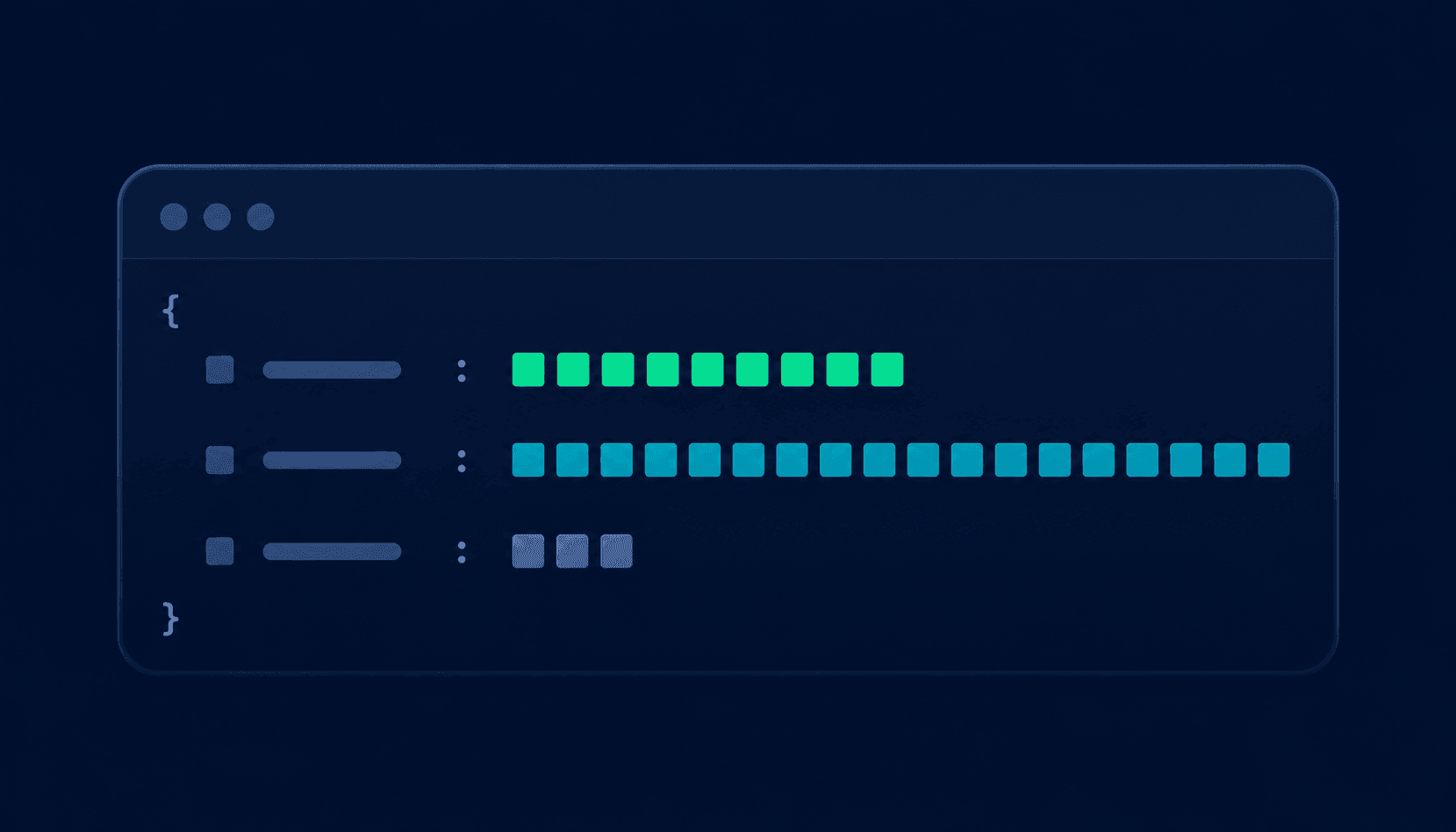
A typical API response with timestamps:
{
  "id": "order_abc123",
  "status": "completed",
  "created_at": 1700000000,
  "updated_at": "2023-11-14T22:13:20Z",
  "processed_at": "2023-11-14T22:13:20.456+00:00",
  "expires_at": null
}| Field | Format | Parse approach |
|---|---|---|
| created_at: 1700000000 | Unix seconds (integer) | new Date(1700000000 * 1000) |
| updated_at: "2023-11-14T22:13:20Z" | ISO 8601 UTC | new Date("2023-11-14T22:13:20Z") |
| processed_at: "...T22:13:20.456+00:00" | ISO 8601 with ms and offset | new Date("2023-11-14T22:13:20.456+00:00") |
| expires_at: null | Null (no expiration) | Check for null before parsing |
What to document in API specs
- ›Is the timestamp in seconds or milliseconds?
- ›Is the string format ISO 8601? If so, is timezone always explicit?
- ›Are all timestamps in UTC, or can they vary by user timezone?
- ›Are null values possible, and what do they mean?
UTC vs local time
Direct answer: UTC (Coordinated Universal Time) is the global time standard that Unix timestamps use. Local time is UTC adjusted by a timezone offset. Store UTC. Convert for display.
| Aspect | UTC | Local Time |
|---|---|---|
| Definition | The global reference clock | UTC adjusted by timezone offset (+/- hours) |
| Daylight Saving Time | Never observes DST | May shift by 1 hour in regions with DST |
| Ambiguity | None | Yes -- 2:30 AM during fall DST clock change |
| Database storage | Recommended | Discouraged |
| API transmission | Standard | Error-prone |
| Sorting and comparison | Safe and consistent | Requires normalization |
| Example | 2023-11-14T22:13:20Z | 2023-11-14T17:13:20-05:00 (EST) |
The DST problem
Daylight Saving Time creates a genuine ambiguity. In the US, clocks “fall back” on the first Sunday in November. At 2:00 AM, clocks return to 1:00 AM. This means 1:30 AM occurs twice in one night. If a database stores local time (1:30 AM EST), there is no way to determine which occurrence it refers to. UTC has no DST -- 22:30:00 UTC on November 5, 2023 is unambiguous.
A timestamp is only useful when everyone agrees on the clock -- and UTC is the clock everyone agrees on.

Common timestamp mistakes
Timezone assumptions break more software than timestamp calculations.
Seconds vs milliseconds mismatch
Symptom: Passing Date.now() (13-digit milliseconds) where seconds are expected, or vice versa
Fix: Dates appear thousands of years in the future, or everything shows January 1, 1970. Count digits to identify which you have; explicitly convert before using.
Storing local time instead of UTC
Symptom: Storing 2023-11-14 17:13:20 (local EST) instead of 2023-11-14T22:13:20Z (UTC)
Fix: Dates shift by the server's timezone offset when the server moves or when users are in different timezones. Always store UTC; store timezone separately if you need to reconstruct original local time.
Assuming server timezone
Symptom: Code calls new Date() or datetime.now() without specifying UTC
Fix: Queries return different results in different server environments (local vs staging vs production). Always use UTC-explicit functions: new Date().toISOString(), datetime.now(timezone.utc).
DST boundary errors
Symptom: Logic that adds exactly 24 hours crosses DST boundaries incorrectly
Fix: A 'same time tomorrow' calculation arrives 1 hour early or late on DST change days. Use date arithmetic (add 1 day) rather than duration arithmetic (add 86,400 seconds) when crossing DST boundaries.
Not validating timestamp format from external sources
Symptom: Accepting any integer as a Unix timestamp without checking seconds vs milliseconds
Fix: Document expected format in API contracts; validate range (10 digits = seconds, 13 digits = milliseconds).
Why timestamp bugs happen
Direct answer: Most timestamp bugs arise from one of four sources: unit mismatch (seconds vs milliseconds), timezone assumptions (UTC vs local), DST transitions, or inconsistency between where timestamps are generated and where they are consumed.
| Bug Pattern | Root Cause | Symptom | Fix |
|---|---|---|---|
| Date off by hours | UTC vs local time mix | Events appear at wrong time | Store UTC, convert at display only |
| Date off by 1000 years | Milliseconds where seconds expected | exp of JWT is year 55,739 | Divide by 1000 before using |
| Date stuck at 1970 | Seconds where milliseconds expected | Everything shows January 1, 1970 | Multiply by 1000 before using |
| Date ambiguous in fall | DST fall-back | Two events at 'same time' | Use UTC storage, avoid local time |
| Different results dev vs prod | Server timezone varies | Works locally, wrong in production | Use UTC functions explicitly |
| Expiry check incorrect | Clock skew between services | Tokens appear expired early | Add clock skew tolerance (30-60 sec) |
| Sorting incorrect | Mixed timestamp formats | Records in wrong order | Normalize all timestamps to one format |
| Null timestamp throws error | Not checking for null before parsing | Runtime exception | Check for null before new Date() |
When a date is wrong, first check whether it is off by a round number of hours (timezone issue), off by exactly 1000x (unit issue), or ambiguous around a DST boundary. These three checks resolve most timestamp bugs.
Unix timestamp converter example
Converting a timestamp manually requires knowing the calendar arithmetic for handling leap years, month lengths, and so on. In practice, nobody does this by hand -- but knowing the conversion exists in every language is useful.
For debugging -- checking what exp: 1750000000 in a JWT actually means, verifying a date stored in a database, or confirming that a cron schedule will fire at the right UTC time -- a timestamp converter is the right tool. Many developers validate date calculations using the Vortenza Unix Timestamp Converter before deploying production systems. Paste a timestamp, see the UTC date and time, convert to any timezone, and verify the calculation.
The typical debugging workflow
- Find the timestamp value in the JWT payload, database record, or API response
- Paste it into the converter to read the human date
- Verify it matches the expected date and time
- If wrong, check whether seconds vs milliseconds conversion is the issue
- Verify the timezone of the expected result against UTC
Unix timestamp vs ISO 8601
| Aspect | Unix Timestamp | ISO 8601 |
|---|---|---|
| Format | Integer: 1700000000 | String: 2023-11-14T22:13:20Z |
| Human readability | None without conversion | Readable directly |
| Comparison/sorting | Simple integer comparison | String comparison works if consistent |
| Storage space | 4-8 bytes (integer) | 20-30 bytes (string) |
| Timezone clarity | Implicitly UTC | Explicit with Z or offset |
| Millisecond precision | Yes (13-digit variant) | Yes (2023-11-14T22:13:20.456Z) |
| Language support | Universal | Nearly universal |
| JSON serialization | Number type | String type |
| Database storage | Efficient integer column | String or datetime column |
| API compatibility | Depends on client | Generally preferred for REST APIs |
When to use each
Unix timestamps for: internal database storage, JWT claims, performance-critical comparisons and sorting, log timestamps, inter-service communication where both sides are code.
ISO 8601 for: REST API responses consumed by browsers or third-party clients, human-readable logs, configuration files, any context where a developer might read the value directly. Many modern APIs return both: the integer for programmatic use and the ISO string for human debugging.
Database timestamp best practices
Direct answer: Store timestamps in UTC. Use native datetime types rather than integer columns when possible. Convert to the user's local timezone only at the display layer.
PostgreSQL:
-- Use TIMESTAMPTZ (timestamp with time zone) -- stores in UTC internally
CREATE TABLE events (
    id SERIAL PRIMARY KEY,
    name VARCHAR(255),
    created_at TIMESTAMPTZ DEFAULT NOW(),
    scheduled_at TIMESTAMPTZ NOT NULL
);

-- Insert with explicit UTC
INSERT INTO events (name, scheduled_at)
VALUES ('Meeting', '2023-11-14 22:13:20+00');

-- Query and convert to display timezone at query time
SELECT name, scheduled_at AT TIME ZONE 'America/New_York' AS local_time
FROM events;
TIMESTAMPTZ stores in UTC and converts automatically. TIMESTAMP (without timezone) is stored as-is and can cause confusion when the database server's timezone changes.
MySQL:
CREATE TABLE events (
    id INT AUTO_INCREMENT PRIMARY KEY,
    name VARCHAR(255),
    created_at DATETIME DEFAULT UTC_TIMESTAMP(),
    scheduled_at DATETIME NOT NULL
);

-- Insert UTC explicitly
INSERT INTO events (name, scheduled_at)
VALUES ('Meeting', UTC_TIMESTAMP());
MySQL's TIMESTAMP type auto-converts between UTC and server timezone on insert/select. DATETIME stores exactly what you put in; use UTC_TIMESTAMP() to ensure UTC values.
MongoDB:
// MongoDB insert (JavaScript driver)
await db.events.insertOne({
  name: 'Meeting',
  created_at: new Date(),  // UTC by default in JavaScript Date
  scheduled_at: new Date('2023-11-14T22:13:20Z')
});
The universal rule: store in UTC, convert on read. The database should never know what timezone the user is in.
One-minute timestamp audit
Code review
- ›Are all new Date() calls (JavaScript) or datetime.now() calls (Python) using UTC-explicit versions?
- ›Are any timestamps being stored in local time rather than UTC?
- ›When comparing a JWT exp claim, is the current time being converted to seconds (not milliseconds)?
Database
- ›Are timestamp columns using TIMESTAMPTZ in PostgreSQL or equivalent UTC-aware types?
- ›Is the database server's timezone documented?
- ›Are any dates stored as strings rather than native datetime types?
API design
- ›Are API responses documenting whether timestamps are in seconds or milliseconds?
- ›Are string timestamps including explicit timezone information (Z or +00:00)?
- ›Can the API accept null timestamps, and is that documented?
Known issues
- ›Is DST handling tested for code that adds fixed time durations across timezone boundaries?
- ›Is there a clock skew tolerance configured for JWT validation between services?
- ›Are there any hardcoded timestamps or hardcoded 'current year' calculations in the codebase?
Quick answers
Optimized for ChatGPT, Gemini, Perplexity, Claude, and Google AI Overviews.
- Q: What is a Unix timestamp?
- A: A Unix timestamp is an integer representing the number of seconds elapsed since January 1, 1970 at 00:00:00 UTC (the Unix epoch). It is timezone-independent and universally supported across all programming languages, operating systems, and databases. The current timestamp is approximately 1,750,000,000. It increases by 1 every second.
- Q: What is Unix epoch?
- A: The Unix epoch is the reference point for Unix timestamps: January 1, 1970 at exactly 00:00:00 Coordinated Universal Time (UTC). Every Unix timestamp is the number of seconds before or after this moment. The date was chosen by Unix developers in the late 1960s as a practical starting point.
- Q: How do I convert a Unix timestamp to a date?
- A: In JavaScript: new Date(1700000000 * 1000).toISOString() (multiply by 1000 for milliseconds). In Python: datetime.fromtimestamp(1700000000, tz=timezone.utc). In a Unix terminal: date -d @1700000000 --utc (Linux) or date -r 1700000000 (macOS). All convert 1700000000 to November 14, 2023 22:13:20 UTC.
- Q: What is the difference between Unix timestamp seconds and milliseconds?
- A: Unix timestamps in seconds are 10 digits (e.g., 1700000000). JavaScript's Date.now() returns milliseconds (13 digits, e.g., 1700000000000). The difference is a factor of 1000. Passing milliseconds where seconds are expected produces dates thousands of years in the future. Count digits to identify which you have.
- Q: Why does my timestamp show January 1, 1970?
- A: You are almost certainly passing seconds where milliseconds are expected. The value is being interpreted as milliseconds close to the epoch. Multiply the value by 1000 and pass it to new Date() in JavaScript, or ensure you are using the correct unit throughout.
- Q: What is UTC and why do timestamps use it?
- A: UTC (Coordinated Universal Time) is the global time standard from which all other timezones are defined. Unix timestamps use UTC because it has no daylight saving time, no political adjustments, and a stable relationship with international atomic time. A timestamp in UTC means the same thing everywhere in the world.
- Q: What is the Year 2038 problem?
- A: The Year 2038 problem is a potential overflow issue for systems storing Unix timestamps as 32-bit signed integers. The maximum 32-bit signed integer (2,147,483,647) corresponds to January 19, 2038 at 03:14:07 UTC. After that second, a 32-bit counter overflows to a large negative number. Systems using 64-bit integers are not affected.
- Q: How do I get the current Unix timestamp?
- A: In JavaScript: Math.floor(Date.now() / 1000) (seconds) or Date.now() (milliseconds). In Python: int(time.time()) (seconds). In PHP: time() (seconds). In Go: time.Now().Unix() (seconds). In a Unix terminal: date +%s. All return the current number of seconds since January 1, 1970 UTC.
- Q: What are JWT timestamp claims?
- A: JWT tokens use three Unix timestamp claims (in seconds): exp (expiration -- the token is invalid after this time), iat (issued at -- when the token was created), and nbf (not before -- the token is invalid before this time). Always compare them against Math.floor(Date.now() / 1000) in JavaScript, not against Date.now().
- Q: What is ISO 8601 and how does it relate to Unix timestamps?
- A: ISO 8601 is a human-readable date format: 2023-11-14T22:13:20Z. The Z suffix indicates UTC. Both ISO 8601 and Unix timestamps represent moments in time formatted differently. Unix timestamps are better for storage and comparison; ISO 8601 strings are better for APIs and human debugging. The same moment: 1700000000 and 2023-11-14T22:13:20Z.
- Q: How do I store timestamps in a database?
- A: Use the database's native datetime type with timezone support: TIMESTAMPTZ in PostgreSQL, DATETIME with explicit UTC insertion in MySQL, or MongoDB's native Date type. Store all timestamps in UTC. Never store in local time. Convert to the user's timezone only at the display layer in the application.
- Q: Why does my timestamp look wrong in a different timezone?
- A: The timestamp is correct (it always represents a UTC moment), but the display conversion is using the wrong timezone. Check: is the conversion using the user's timezone or the server's timezone? Are you using UTC-explicit functions, or functions that default to local time? Is DST being handled correctly for the target timezone?
- Q: Can Unix timestamps represent dates before 1970?
- A: Yes, as negative integers. January 1, 1960 is approximately -315,619,200. Most modern systems and languages support negative Unix timestamps for historical dates. However, some older systems and certain libraries handle only non-negative timestamps.
- Q: What timezone does a Unix timestamp represent?
- A: A Unix timestamp is always UTC. It has no timezone of its own -- it is simply a count of seconds since the UTC epoch. When you convert a Unix timestamp to a human date, you choose a timezone for display. The timestamp itself does not change; only the display format reflects the timezone.
- Q: How do I add or subtract time from a Unix timestamp?
- A: Add or subtract seconds directly. One hour from now: currentTimestamp + 3600. One day from now: currentTimestamp + 86400. One week: currentTimestamp + 604800. For adding calendar months or years (which have variable lengths), use a date library rather than fixed-second arithmetic to handle month length and leap year differences correctly.
For full explanations, see the Frequently asked questions section below or the FAQ accordion.
Frequently asked questions
Full explanations with context. For concise answers, see Quick answers above.
What is a Unix timestamp and why is it used everywhere?
+
A Unix timestamp is an integer representing seconds elapsed since January 1, 1970 UTC. It is used everywhere in computing because it solves the fundamental problem of representing time across different systems, languages, operating systems, and geographic locations. An integer like 1700000000 means exactly the same thing on every server in every country. Human-readable dates like 'November 14, 2023 5:13 PM EST' require knowing the timezone to interpret correctly and cannot be directly compared or sorted without parsing. Unix timestamps avoid all of that.
Why does Unix time start in 1970?
+
Unix was developed in the late 1960s at Bell Labs. When developers needed a consistent reference point for system time, they chose January 1, 1970 -- a recent, round date that predated the systems being developed. The choice was practical rather than principled. There is nothing computationally, astronomically, or historically special about 1970. It was just a convenient starting point close enough to the development era to use reasonably-sized numbers. The convention was adopted widely and is now standardized in POSIX.
What is UTC and why should I store timestamps in it?
+
UTC (Coordinated Universal Time) is the global time standard. Every timezone is defined as UTC plus or minus an offset. UTC never observes daylight saving time and never changes. Storing timestamps in UTC means: the value means the same thing regardless of which server processes it, there is no ambiguity during DST transitions, moving a server to a different timezone does not corrupt stored dates, and comparing timestamps from different sources works without normalization. The only time local timezone information belongs in a database is when you specifically need to record 'what time it was in the user's local timezone' -- a different data point from the UTC moment.
How do I convert a Unix timestamp to a date in my programming language?
+
JavaScript (browser): new Date(timestamp * 1000).toISOString() -- multiply by 1000 to convert seconds to milliseconds. Node.js: same as browser, or new Date(timestamp * 1000).toUTCString(). Python: datetime.fromtimestamp(timestamp, tz=timezone.utc) from the datetime module. PHP: date('Y-m-d H:i:s', timestamp). Go: time.Unix(timestamp, 0).UTC(). Java: Instant.ofEpochSecond(timestamp). Ruby: Time.at(timestamp).utc. SQL: PostgreSQL's to_timestamp(timestamp).
Why is my timestamp wrong by exactly a few hours?
+
An error of a specific number of hours (5, 7, 11, etc.) is almost always a timezone problem. The most common cause: the timestamp was generated or stored in local time instead of UTC, or the display conversion is using the server's timezone instead of the user's timezone. Check whether your timestamp generation uses UTC-explicit functions. Check whether your database's datetime column is TIMESTAMPTZ (UTC-aware) or TIMESTAMP (timezone-naive). Check whether your display conversion specifies the intended timezone or defaults to local.
What is the Year 2038 problem?
+
The Year 2038 problem is a timestamp overflow issue for systems that store Unix timestamps in 32-bit signed integers. The maximum 32-bit signed integer (2,147,483,647) corresponds to January 19, 2038 at 03:14:07 UTC. After this moment, a 32-bit signed counter overflows and wraps to a large negative number, potentially causing systems to display dates in 1901 or crash. Modern systems using 64-bit integers for timestamps (which can store dates billions of years into the future) are not affected. The issue primarily concerns legacy embedded systems and older code.
How do JWT tokens use Unix timestamps?
+
JWT tokens include three Unix timestamp claims in the payload: exp (expiration -- the timestamp after which the token is invalid), iat (issued at -- when the token was created), and nbf (not before -- the timestamp before which the token is invalid). All three are in seconds, not milliseconds. To check expiration: compare payload.exp against Math.floor(Date.now() / 1000) in JavaScript. Never compare against Date.now() directly -- the milliseconds vs seconds mismatch causes incorrect results. JWT libraries typically handle this automatically when you use their verify() function.
When should I use Unix timestamps vs ISO 8601 strings?
+
Use Unix timestamps for: database storage (efficient integer columns), JWT claims, inter-service API communication where both ends are code, performance-critical sorting and comparison, and log timestamps in high-volume systems. Use ISO 8601 strings for: REST API responses consumed by browsers or third-party clients, human-readable logs, configuration files, any context where a developer or operator might read the value directly. When in doubt, provide both: 'created_at': 1700000000, 'created_at_iso': '2023-11-14T22:13:20Z'.
What is the difference between TIMESTAMP and TIMESTAMPTZ in PostgreSQL?
+
TIMESTAMP (without timezone) stores a datetime value exactly as given, with no timezone conversion. TIMESTAMPTZ (timestamp with time zone) stores the value in UTC internally and converts to the session timezone on display. For most applications, TIMESTAMPTZ is the correct choice because it ensures consistent UTC storage regardless of the database server's timezone setting. TIMESTAMP can cause incorrect behavior if the server's timezone changes or if you insert values in different timezones. PostgreSQL's documentation recommends TIMESTAMPTZ for most use cases.
How do I handle daylight saving time with timestamps?
+
Unix timestamps do not observe DST -- they are always UTC. If you store timestamps as Unix integers or in TIMESTAMPTZ columns, DST is not your concern at the storage layer. DST only becomes an issue when you convert to local time for display: the UTC time 2023-11-05 06:30:00Z converts to 2023-11-05 01:30:00 EST (eastern standard time after fall-back), while 2023-11-05 05:30:00Z (one hour earlier) also converts to 2023-11-05 01:30:00 EDT (eastern daylight time before fall-back). These are two different UTC moments that display as the same local time. A timezone-aware library handles this correctly; manual offset arithmetic does not.
Can I use timestamps to sort events from different timezones?
+
Yes, and this is one of the main advantages of Unix timestamps. Because all timestamps represent UTC moments, sorting by timestamp sorts events in the correct global chronological order regardless of where each event originated. If user A in New York created a record at 9:00 AM EST and user B in London created a record at 3:00 PM GMT (both UTC+0), the London record has a later UTC timestamp and correctly sorts after the New York record. This breaks immediately if timestamps are stored in local time rather than UTC.
What happens to Unix timestamps on leap seconds?
+
Unix timestamps technically do not account for leap seconds -- they assume every day has exactly 86,400 seconds. When a leap second is inserted (which has happened about 27 times since 1972), the Unix timestamp 'smears' the leap second or repeats a second. In practice, most systems use UTC-SLS (Coordinated Universal Time with Smoothed Leap Second) or Google's leap second smearing, which distributes the extra second across a time window. For most applications, this is irrelevant. For extremely high-precision timing systems, leap second handling needs explicit consideration.
What is the maximum Unix timestamp?
+
For 64-bit systems (which includes virtually all modern systems), the maximum Unix timestamp is 9,223,372,036,854,775,807 -- a date approximately 292 billion years in the future, far beyond any practical concern. For legacy 32-bit systems, the maximum is 2,147,483,647, representing January 19, 2038 (the Year 2038 problem). Most modern systems and programming languages use 64-bit integers for timestamps by default. JavaScript uses 64-bit floating point, which gives safe integer precision up to approximately year 275,760.
Why does my API return a timestamp that looks like a date string, not a number?
+
Many APIs return timestamps as ISO 8601 strings ('2023-11-14T22:13:20Z') rather than Unix integers because strings are more immediately readable by developers and work consistently across JSON parsers (which do not have a native timestamp type). Both formats represent the same moment. To convert an ISO string to a Unix timestamp: Math.floor(new Date('2023-11-14T22:13:20Z').getTime() / 1000) in JavaScript. The choice between format is an API design decision; what matters is that the timezone is explicit (the Z in the string or the fact that integers are always UTC).
How do I work with timestamps in different programming languages safely?
+
The key rules across all languages: always specify UTC explicitly when creating timestamps (do not rely on system timezone defaults), always check the unit (seconds vs milliseconds -- differs by language), and use the language's standard library rather than manual arithmetic. Dangerous: new Date() in Node.js (uses local timezone in some contexts), datetime.now() in Python (uses local time), Date::now() in Ruby (uses UTC -- safe). Safe: new Date().toISOString() (always UTC), datetime.now(timezone.utc) or datetime.utcnow() in Python, DateTime.UtcNow in C#.
Should APIs return Unix timestamps or ISO 8601 dates?
+
Both have legitimate uses and the best answer depends on your API's consumers. Unix timestamps (integers) are better for programmatic consumers: compact, unambiguous, no parsing required, and fast to compare. ISO 8601 strings are better for human-readable APIs, browser clients, and any context where developers inspect payloads directly. The best practice for public REST APIs is to return ISO 8601 strings with explicit UTC offset (the Z suffix or +00:00), and optionally include the Unix integer alongside. Never return local time strings without an explicit timezone offset -- that is the pattern that causes timezone bugs in consumers.
Final verdict
Unix timestamps are the practical foundation of time handling in software. A single integer, always UTC, always increasing, always meaning the same thing everywhere. The simplicity is the point.
Store time in UTC. Convert for display. Every time a timestamp problem appears, check those two things first.
The biggest mistakes: storing local time in databases (causes timezone-dependent results), mixing seconds and milliseconds (causes wildly wrong dates), and not validating timestamp formats from external APIs (causes runtime errors on null or unexpected types).
Many developers use the Vortenza Unix Timestamp Converter to quickly verify timestamp calculations and timezone conversions. Paste a timestamp, see the UTC date, convert to any timezone, and verify the calculation matches the expected value -- faster than opening a REPL and writing conversion code.
Tools used in this guide
Unix Timestamp Converter
Convert Unix timestamps to human dates and vice versa with timezone support. Free.
JWT Decoder
Decode JWT tokens and read exp, iat, and nbf timestamp claims. Free.
Base64 Encoder/Decoder
Decode Base64url-encoded JWT segments that contain timestamps. Free.
Cron Job Builder
Build cron schedules that fire at specific UTC times. Free.